
In this guide 17 sections
Someone visits your website, completes the contact form, and asks about your service. The notification arrives. Your CRM shows a new lead. But days or weeks later, the person hasn’t become a customer. When that happens repeatedly, businesses often assume they need more website traffic or a bigger advertising budget.
They may need neither. A website that generates enquiries but few customers has a different problem from a website that gets traffic but no leads. The first issue may involve poor-fit enquiries, response times, sales qualification, unclear proposals, missing trust, inconsistent follow-up, or a breakdown between marketing and sales.
Quick answer: Start by tracing real enquiries from the form submission through first contact, qualification, meeting, proposal, and sale. Find the stage where suitable prospects stop progressing. Then fix that specific problem before paying for more leads. Improving the website can help, but sales process and CRM responsibilities matter too.
This guide explains the most common reasons service-business website leads do not become customers, how to measure each stage accurately, and what practical changes a small business or B2B team can make.
First, understand the difference between a lead and a customer
A lead is a person or organization that has shown possible interest. A contact form submission could be a genuine request for your services, an early-stage research enquiry, a job applicant, a spam message, or someone who needs a service you don’t provide. These are not equally valuable sales opportunities.
A qualified lead matches the business’s service capabilities and has a plausible need. Qualification often considers the problem, service fit, buying timeline, authority to decide, and whether the budget aligns with the available options. Qualification is a helpful conversation, not an excuse to interrogate people or demand sensitive data.
A sales opportunity is a qualified prospect actively discussing a potential purchase. A customer is someone who has actually bought or signed an agreement under your business’s sales definition. You should not treat a scheduled meeting or a verbal expression of interest as a closed sale.
Salesforce’s guide to leads and opportunities distinguishes early-stage prospects from more developed sales opportunities. The distinction is valuable even when your company uses a simple spreadsheet rather than Salesforce.
Why website leads don’t turn into customers: 12 common reasons
1. Your website attracts people outside your ideal customer profile
Imagine a custom web-development company receives enquiries from visitors seeking a free template, a $50 one-page website, or coding employment. All three might complete the contact form, but none is necessarily a realistic client for a full website project.
The problem may begin with broad search terms, misleading advertisements, vague landing-page promises, or content that attracts a large audience without clear service context. Before criticizing your sales team, review where each lead came from and what the visitor expected.
What to do: Review Google Search Console queries, ad search terms, landing pages, and CRM notes. Clarify who the service is designed for, what it includes, and what a suitable enquiry looks like. Avoid overstating results or promising a free service that is actually paid.
2. The advertisement or landing page creates unrealistic expectations
A visitor may submit an enquiry because an advertisement implies an immediate, inexpensive solution. The sales call then reveals that the service is a longer custom project, requires paid discovery, or includes work the visitor did not anticipate.
That gap creates disappointment before the conversation begins. It is especially common when an ad focuses on an exciting benefit but the landing page does not explain scope, terms, eligibility, or the next step.
What to do: Align the advertising promise, headline, offer, form confirmation, and sales team’s description. Use plain language about what the customer receives, what is included, and what happens after they request information. See our guide to landing pages that don’t convert for related diagnostics.
3. Enquiries arrive but nobody responds promptly
A visitor may be contacting multiple providers. If your website says “Request a Quote” but the company does not acknowledge the enquiry or assign it to anyone, the prospect may move on long before a salesperson opens the email.
There is no universal response time that guarantees a sale. Urgent home services, planned B2B technology purchases, and long-term consulting projects follow different buying timelines. But every company should define a realistic, reliable response expectation and measure whether it meets it.
What to do: Route new enquiries to a named owner, send a clear acknowledgment, and use reminders when no one has contacted a prospect within the company’s chosen service window. Review actual first-response timestamps, not just when the automated email was sent.
4. Website forms are disconnected from the CRM or sales inbox
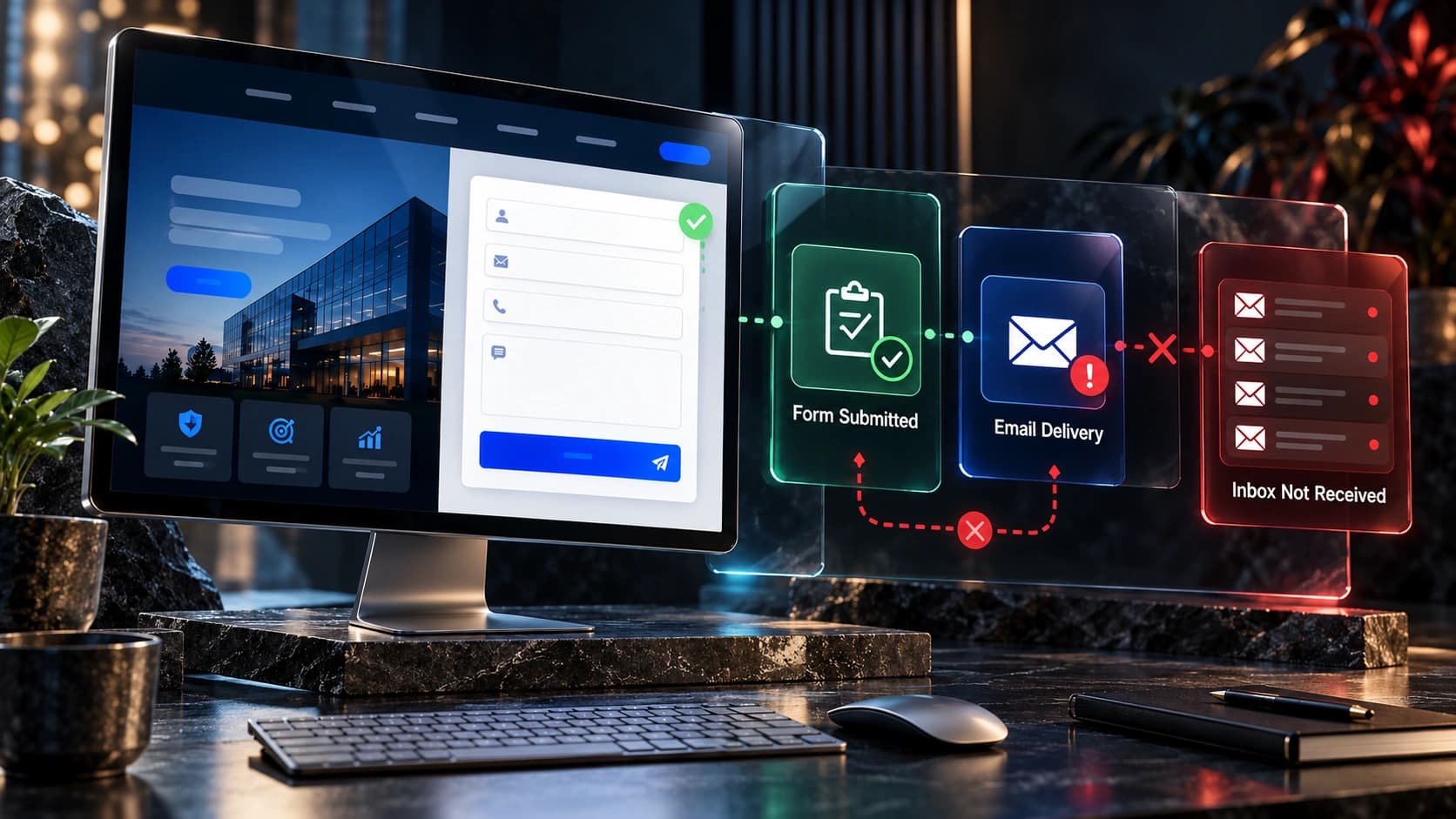
Sometimes the website appears to be generating leads, but the sales team never sees some of them. Forms may save a record without sending a notification, an email may go to spam, an automation may assign a lead to an inactive account, or duplicate records may hide a current enquiry.
What to do: Test the complete journey with a real submission: form, confirmation, stored record, assigned owner, notification, and next task. Include mobile and desktop tests. Investigate errors and lead routing whenever the site or integration changes.
Our contact-form troubleshooting guide covers common delivery problems. The business should always retain a reliable source of submitted enquiry data where its privacy and retention practices permit.
5. You treat every lead the same
A prospect ready to hire this month should not necessarily receive the same next step as someone researching a project for next year. Treating both as immediate closing opportunities wastes sales time and can frustrate the person who is still learning.
What to do: Use lightweight qualification criteria based on service fit, the problem to solve, approximate timeline, and the visitor’s preferred next step. Offer a consultation to sales-ready prospects and useful information to those who are still considering options.
HubSpot’s lead qualification guide explains the difference between early interest and a prospect ready for an active sales conversation.
6. The first conversation focuses on selling before understanding the problem
A visitor asks about improving a website, but the sales representative immediately lists technologies, packages, or generic agency achievements. The prospect still does not know whether anyone understands their business.
What to do: Use a short discovery structure: What are they trying to achieve? What’s frustrating them today? What would a successful outcome look like? What has already been tried? Who else needs to be involved, and when is a decision likely?
Then explain how your service could help, including what it cannot reasonably promise. A helpful, credible conversation often does more than an aggressive script.

7. The proposal explains deliverables but not business value
Two website-development proposals might both say “Five pages, responsive design, contact form, SEO setup.” One gives the buyer no indication that the provider understands the customer’s real requirements. The other connects the deliverables to navigation, content clarity, lead routing, mobile usability, and maintenance responsibilities.
What to do: Structure proposals around the current problem, agreed scope, expected deliverables, assumptions, timeline, client responsibilities, and acceptance criteria. Be specific about integrations, copywriting, hosting, revisions, and support.
Do not invent projected revenue gains, guaranteed leads, or fabricated client testimonials to make the proposal sound stronger. Authentic project evidence is more credible than unsupported claims.
8. The price feels surprising because scope and expectations were never established
A prospect can be a genuine buyer but still misunderstand the level of service being offered. They may expect a template refresh while the proposal covers custom design, development, migration, integration, and testing.
What to do: Explain the factors affecting cost early, identify whether the project is a refresh or rebuild, and offer a realistic scope appropriate to the need. Where possible, separate essential work from optional enhancements.
For context, read our website redesign cost planning guide. It explicitly distinguishes illustrative budget ranges from guaranteed prices. A clear estimate should make the buyer’s decision easier, not conceal likely ongoing expenses.
9. Your website does not give prospects enough evidence to trust the business
Someone may enquire because your website looks promising, then hesitate after reviewing a proposal or conducting more research. If they cannot find relevant completed work, verify company details, or understand who is responsible for delivery, they may be reluctant to commit.
What to do: Publish genuine project examples, real team details where appropriate, clear service explanations, and authentic customer feedback when you have consent to use it. Explain what happens after the agreement is signed and what support is available.
Good trust signals should be accurate and relevant to the decision. Stock photographs can support an article, but they are not a substitute for authentic portfolio work or legitimate client references.
10. The sales process has no consistent follow-up plan
Some prospects are interested but busy. Others need a second stakeholder to approve the purchase, compare proposals, or review their financial commitments. If no one follows up after the initial reply, the opportunity may quietly disappear.
What to do: Record the last conversation and agreed next action. Use a short, relevant follow-up sequence appropriate to the person’s interest and communication preferences. Follow-up should provide useful answers, not an endless stream of generic reminders.
If a prospect declines or asks not to be contacted, respect the request. Automated follow-up should be configured to stop when someone opts out or the enquiry is resolved.
11. The handoff between marketing and sales loses important context
Your marketing team knows that a prospect downloaded a guide or requested a free mockup, but the salesperson receives only a name and phone number. The call begins with questions the person already answered, which makes the experience feel disorganized.
What to do: Pass along the enquiry source, landing page, relevant form answers, promised offer, contact preferences, and any previous discussions—subject to appropriate privacy practices. Establish clear ownership for follow-up and avoid unnecessary duplicate outreach.
Salesforce’s lead-management training describes lead routing and assignment as essential parts of the sales process.
12. You measure lead volume but never examine why deals are lost
If all unsuccessful enquiries end up in one generic “Lost” column, the business cannot tell whether the problem is price, service fit, timing, no response, or a competitor winning the opportunity. Without those distinctions, marketing and sales may keep repeating the same mistakes.
What to do: Create a small, consistent set of loss reasons and review them monthly. Combine sales notes with acquisition source and page information to identify patterns. Keep human judgment involved; not every unsuccessful enquiry is caused by a broken process.
Map the complete journey from website enquiry to customer
Even a small company can benefit from a simple, clearly defined pipeline. The following stages are illustrative; adapt them to your actual sales process.
| Stage | Clear definition | Recommended check |
|---|---|---|
| New enquiry | Completed form, inbound call or confirmed request for information | Was the lead recorded with a source and assigned? |
| Contact attempted | A person made an actual outreach attempt | When was it made, by whom, and through which channel? |
| Contacted | A two-way conversation happened | Was the prospect’s need and preferred next step recorded? |
| Qualified | The project fits the business’s agreed qualification criteria | Is the need real and the scope broadly suitable? |
| Consultation or discovery | A substantive needs conversation occurred | Are requirements and stakeholders understood? |
| Proposal sent | A scoped offer has been delivered and received | Does the buyer know how and when to respond? |
| Decision pending | The buyer is reviewing or obtaining approval | Is there a mutually agreed next action? |
| Won or lost | The deal has a definitive outcome | Was the result and useful reason documented? |
The stage names matter less than whether everyone uses them consistently. A booked call is not the same as a completed consultation, and a sent proposal is not the same as an accepted quote.
Salesforce’s sales pipeline management guide recommends matching CRM stages to the real process and defining how an opportunity moves from one stage to another.

Measure the right conversion rates at each stage
If you look only at website visitor-to-lead conversion, you will miss the later problems. For a service business, useful measurements can include:
- Enquiry-to-contact rate: contacted leads divided by valid new enquiries.
- Contact-to-qualified rate: qualified leads divided by leads contacted.
- Qualified-to-meeting rate: completed discovery meetings divided by qualified leads.
- Meeting-to-proposal rate: proposals sent divided by completed discovery meetings.
- Proposal-to-customer rate: won deals divided by proposals sent.
- Enquiry-to-customer rate: customers acquired divided by valid enquiries in a defined lead cohort.
Define time windows carefully. If leads take two months to close, comparing today’s enquiries to today’s closed customers mixes different groups and produces misleading results. Use cohort reporting or another consistent time-based method when possible.
Example: 100 website enquiries but only 3 customers
The following numbers are hypothetical and intended only to show how a funnel audit works:
| Stage | Count | Share of prior stage |
|---|---|---|
| Valid enquiries | 100 | — |
| Contacted | 65 | 65% |
| Qualified | 30 | 46.2% |
| Discovery completed | 18 | 60% |
| Proposals sent | 12 | 66.7% |
| Customers won | 3 | 25% |
Overall, 3 of 100 enquiries became customers. The table does not prove why. But it suggests useful questions: Why were 35 valid enquiries never contacted? Were the 35 contacted-but-not-qualified prospects a traffic-quality issue? Why did only 3 of 12 proposals close?
Different answers require different actions. A better CRM handoff may address missed contacts; clearer advertising may improve lead fit; better discovery and proposal clarity may help later stages.
How to track lead generation accurately in Google Analytics 4
GA4 has a recommended event named generate_lead for actions such as requesting information or submitting a lead form. The event can be configured as a key event for important business actions, while later qualification and purchase outcomes may need your CRM or other systems for accurate reporting.
Google recommends the generate_lead event as part of its recommended-event framework. Also review the official key-event setup guide to verify event collection.
Don’t count every click on a Submit button as a completed enquiry; validation errors and integration failures may prevent the form from sending. Likewise, avoid treating an automatically generated thank-you email as proof that the correct salesperson received the submission.
For the complete picture, connect website acquisition data to CRM outcomes where appropriate and privacy-safe. Our guide to tracking which website pages generate leads explains how to identify important landing pages.
Improve lead quality without making your forms impossible to complete
It is tempting to add more required fields when too many poor-fit leads arrive. But lengthy forms can discourage suitable prospects as well. The goal is to collect the minimum information needed for a useful next step and ask more detailed questions when appropriate.
For a website-development company, a first contact form might ask for a name, an appropriate contact method, a current website URL if one exists, and a short description of the project. More detailed budget and timing questions can sometimes be handled during a discovery call.
When the business needs early qualification to avoid serious mismatch, consider a single clear question about project type or primary goal. Review whether it improves downstream lead quality rather than assuming it will.
Be transparent about the offer. If the user is requesting a free homepage mockup, explain what that means, which information is needed, and whether a consultation will follow.

Create a practical first-response process for every new enquiry
Small businesses do not need a complicated sales operation to improve reliability. They need a documented process that staff can follow consistently.
1. Confirm receipt
Display a clear form confirmation and, where suitable, send an acknowledgment explaining the expected next step. An automatic email should not falsely say a consultant has reviewed the project when nobody has done so.
2. Assign ownership
Every new enquiry should have an accountable person or monitored queue. Avoid a system where multiple people assume someone else will call the prospect.
3. Preserve the context
Record the requested service, original landing page, relevant form details, lead source, and preferred contact channel. This helps the first conversation start from the prospect’s actual question rather than a generic script.
4. Make a helpful personal response
Respond in a manner appropriate to the request. Confirm the business understands the enquiry, ask any essential clarification, and propose a meaningful next step such as a brief discovery discussion.
5. Set a next-action date
If the prospect needs time, agree on when a follow-up is appropriate. Do not let every conversation sit indefinitely in “Contacted.”
6. Close the loop
When a prospect buys, declines, becomes unresponsive, or asks not to be contacted, update the record. That keeps future reporting more accurate and reduces irrelevant outreach.
What should you say when contacting a website lead?
The response should be short, specific and tied to the enquiry. For example, a web-design prospect who submitted a website URL might appreciate a message acknowledging that URL and asking about the main goals for the redesign. A prospect without a website might need a different question about their business and intended audience.
A useful first conversation often covers the business problem, desired outcome, existing website or system, decision timeline, and a mutually agreed next step. Avoid launching into a long sales pitch before learning what the person requested.
Keep follow-up respectful. Use contact preferences and applicable marketing rules. If a person asks to stop, remove them from the relevant sequence. More messages are not always better, especially when the buyer has clearly declined.
When should your website explain pricing?
Pricing uncertainty is one reason prospects disappear after an initial enquiry. A buyer may expect a low-cost template while your service includes custom architecture and multiple integrations.
If you provide custom proposals, your website can still explain the factors that influence price, what a standard project includes, and which requests require additional discovery. This helps prospective clients decide whether it is worth contacting you.
You do not need to promise a fixed quote on every public page. You should make your service understandable enough that customers are not blindsided by the proposal.
When several proposals fail for similar reasons, review the way scope and outcomes are communicated before assuming the team simply needs to “close harder.” Better clarity may prevent mismatched expectations earlier.
How trust and portfolio evidence affect closing
A prospect who has filled in the enquiry form may still research your business before signing. Your site should make that due diligence straightforward. Genuine project examples, clear business details, a transparent delivery process, and relevant client feedback can help buyers evaluate a provider.
Case studies are especially useful when they explain the initial challenge, the work that was actually completed, and the outcome using evidence the business can substantiate. Don’t invent project metrics or write fictitious customer endorsements.
Make it easy to reach your portfolio, services, process and contact details from a proposal. The buying journey often continues across multiple website visits after the first enquiry.

Set up a simple follow-up system without overwhelming prospects
A follow-up system should answer genuine questions, maintain continuity and make it easy for a prospective client to resume the conversation. It should not exist solely to increase the number of emails sent.
A practical sequence might include an immediate acknowledgment, a personal response from the assigned owner, a relevant resource or clarification when useful, and an agreed check-in for longer decisions. The exact timing should depend on customer urgency, the nature of the service and prior communication.
Use CRM reminders so meetings, proposals and follow-up commitments do not disappear. Separate active opportunities from long-term nurture prospects, lost deals and contacts who have opted out.
HubSpot’s lead management guide discusses connecting capture, qualification, follow-up, and pipeline tracking into one process.
Five common CRM mistakes that hide lost revenue opportunities
1. Duplicating a lead every time it submits a form
Repeated submissions may create several disconnected records. Without careful deduplication, the sales team may contact one prospect too often or miss a newer request. Use appropriate identifiers and maintain accurate history.
2. Assigning leads to people who are unavailable
An ownership rule should account for inactive staff, absences, and unmonitored inboxes. Provide a fallback queue or reassignment process when the usual owner cannot respond.
3. Using vague pipeline stages
Stages such as “Interested” or “Follow-up” mean different things to different people. Define observable entry and exit criteria so reporting is meaningful.
4. Treating all nonresponses as lost deals immediately
A qualified prospect waiting for internal approval is different from a prospect who explicitly rejected the proposal. Record the status accurately and agree on appropriate follow-up.
5. Automating messages without testing real records
Wrong names, incorrect offers, duplicated messages and broken calendar links damage trust. Test automations with realistic sample contacts and review the full customer experience.
A 30-day plan to improve your lead-to-customer process
Week 1: audit recent enquiries
Review a manageable sample of real leads. Record acquisition source, the website page, the form or call path, response delay, qualification status, last activity, and outcome. Look for missing records and repeated loss reasons. Protect customer data and use only information you are authorized to access.
Week 2: repair capture and ownership
Test every major form, notification and calendar. Confirm new leads reach an accountable person or queue. Establish a consistent definition of contacted, qualified, proposal sent and closed. Fix obvious errors before buying additional traffic.
Week 3: improve messaging and discovery
Review landing-page promises, basic service clarity, early qualification questions, and proposal templates. Ask the sales team what prospects most often misunderstand. Provide accurate responses to the questions that repeatedly delay decisions.
Week 4: monitor the funnel
Compare new enquiries, contacted leads, qualified meetings, proposals and wins against a reasonable baseline. Review the evidence with both marketing and sales staff. Select one or two high-impact improvements for the next month rather than changing everything at once.
A 30-day review is useful for detecting operational problems, but if your sales cycle lasts several months, it may be too early to judge final customer acquisition. Continue tracking outcomes by lead cohort.
Should you redesign the website to improve sales conversions?
Maybe—but only after understanding the problem. A redesign can help when the website attracts the wrong audience, fails to explain its services, hides important proof, or creates confusing expectations. It is less likely to fix slow sales follow-up, poor qualification, or proposals that do not match what the prospect needs.
If the site already generates qualified enquiries, investigate the sales process before paying for a complete rebuild. If many leads are mismatched or visitors frequently misunderstand the service, the website and campaign messaging deserve attention.
Our guide to website redesign versus conversion rate optimization helps explain when focused website changes are sufficient and when broader work is warranted.
Frequently asked questions
Why am I getting website leads but no sales?
Possible causes include low-fit enquiries, delayed responses, unclear pricing or service expectations, weak discovery, missing follow-up, unconvincing proposals, or gaps between website forms and your CRM. Review the complete lead journey to identify which factor is actually limiting your business.
What is a good lead-to-customer conversion rate?
There is no universally reliable rate. It varies by industry, service price, how a lead is defined, acquisition source and length of the sales cycle. A quote-request lead and a newsletter subscriber should not be used interchangeably in a conversion benchmark.
How quickly should I respond to a new website enquiry?
Set a response standard appropriate to your business and customer expectations, assign ownership, and measure whether it is consistently met. Urgent services may demand a faster response than long-term consulting requests. There is no single time limit that guarantees a sale.
Should I add more questions to my lead form to qualify customers?
Only when the information is useful enough to justify the extra friction. Ask for what is needed to understand the enquiry and arrange the next step. Measure both form completion and qualified lead outcomes.
Can CRM automation improve lead conversion?
It can improve reliability by routing enquiries, reminding staff of follow-up tasks, and preserving context. It does not replace good customer conversations or guarantee more sales. Automations need monitoring and appropriate opt-out controls.
Why do people request quotes and then disappear?
They may be comparing options, waiting for approval, discovering a budget mismatch, changing priorities, or finding that the proposal does not fit their needs. Ask useful questions, explain scope clearly, and record the real outcome rather than assuming every silent prospect simply needs more reminders.
How do I know whether the problem is my website or sales team?
Compare qualified lead quality, successful form delivery, contact rates, meeting completion, proposal acceptance and lost-deal reasons. If relevant prospects rarely contact you, review website messaging and experience. If good leads arrive but are not contacted or advanced, examine the sales process.
Is it better to get more leads or improve existing leads?
It depends on current demand and sales capacity. If suitable enquiries are regularly lost through preventable process failures, fixing those gaps may create more value than increasing volume. If lead quality and sales operations are healthy but too few prospects arrive, focus more on acquisition.
Does a free homepage mockup guarantee someone will buy a redesign?
No. A free mockup or consultation may help a prospect visualize a new direction, but a buying decision still depends on trust, scope, timing, budget and the value of the proposed work.
Don’t buy more website traffic until you understand where your leads go
Lead generation and customer acquisition are connected but distinct. A website can successfully collect enquiries while the business loses opportunities through unclear offers, slow follow-up, incomplete CRM handoffs, or proposals that do not answer the buyer’s concerns.
The most useful improvement starts with an accurate diagnosis. Map the customer journey, verify forms and routing, qualify prospects consistently, respond helpfully, and measure outcomes that reflect actual customers—not just clicks and form submissions.
At Avenzo Digital, our website design and development and conversion optimization work focuses on clear offers, usable lead paths, and reliable website experiences. A better website should support your sales process rather than pretend to replace it.
Need a clearer, more effective website experience? Request a website consultation and ask about a free homepage mockup. Share the existing site, what visitors are requesting, and where enquiries seem to stall so the conversation can focus on the real problem.