Track which website pages generate the most lead: A website can receive thousands of visitors every month and still generate fewer leads than expected. At the same time, a page with much less traffic may consistently…
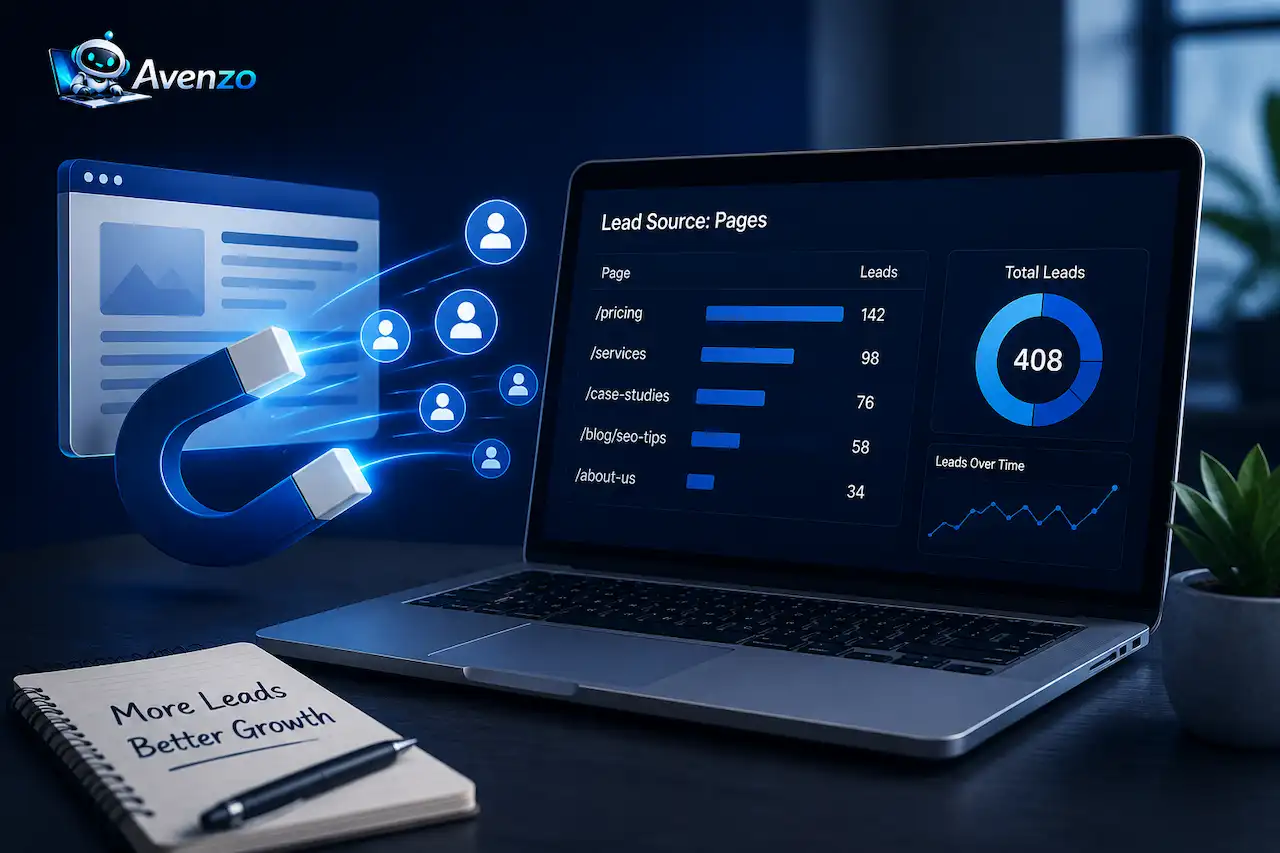
Track which website pages generate the most lead: A website can receive thousands of visitors every month and still generate fewer leads than expected. At the same time, a page with much less traffic may consistently bring in qualified inquiries, consultation requests, or sales opportunities. This is why looking only at total website traffic does not give you a complete picture of website performance.
If you want to know which website pages generate the most leads, you need to connect page-level traffic data with the actions that matter to your business. These actions might include contact form submissions, phone calls, quote requests, consultation bookings, demo requests, or other meaningful conversions.
The goal is to understand more than how many people visit a page. You want to know which pages attract the right visitors, which pages encourage them to take action, and which pages contribute to actual business opportunities.
With the right tracking setup, you can identify your strongest lead-generating pages, discover pages that receive traffic but generate few conversions, and understand the journey visitors take before becoming leads. This information can then guide your SEO strategy, content planning, internal linking, landing page improvements, and conversion rate optimization.
Why Should You Track Leads by Website Page?
Total website conversions tell you how many leads you received, but they do not necessarily tell you where those leads came from. For example, imagine your website generated 100 leads during a month. That sounds positive, but the number alone does not explain which pages contributed to those results. Perhaps 50 leads came from service pages, 25 came from the homepage, 15 came from landing pages, and only 10 came from blog content.
Without page-level tracking, you may continue treating every page equally even though some pages are clearly more valuable to your business.
Page-level lead tracking helps you identify these differences. You might discover that a service page receives only a few hundred visitors but generates a strong percentage of your inquiries. You might also discover that one of your most popular blog posts receives thousands of visitors but almost never produces a lead. Both pages can be useful, but they serve different purposes.
The service page may be highly effective at converting visitors who already have commercial intent, while the blog may be helping your business attract people earlier in the research process. Understanding this difference allows you to optimize each page according to its role instead of judging every page by the same metric.
What Counts as a Lead?
Before you start tracking leads, you need to define what a lead means for your business. For one company, a lead might be a completed contact form. For another, it might be a phone call, consultation booking, quote request, demo request, or appointment. Not every website interaction should automatically be treated as a lead.
For example, someone clicking a navigation button is an engagement event, but it does not necessarily indicate commercial interest. A newsletter signup may be valuable, but it may not have the same immediate business value as a quote request from a potential customer.
Your tracking setup should therefore distinguish between different types of conversions. This gives you a much clearer understanding of what your website is actually generating.
You should also consider lead quality. A page that generates 30 inquiries is not necessarily better than a page that generates 10 inquiries if most of those 30 inquiries are irrelevant or unqualified.
The ultimate goal is to identify the pages that contribute to valuable business opportunities, not simply the pages with the highest number of form submissions.
Use GA4 to Track Website Conversions
Google Analytics 4 can be an important part of a page-level lead tracking system. GA4 uses events to record interactions that happen on your website, such as form submissions, button clicks, purchases, and other actions. Important business actions can then be treated as key events so you can evaluate them as conversions that matter to your organization.
The exact setup depends on how your website handles forms and other interactions. Some websites redirect visitors to a thank-you page after a successful submission. Others submit forms using JavaScript without changing the page URL. That difference matters because your tracking implementation needs to reflect how your website actually works.
Once the events are configured correctly, you can begin connecting conversion activity with the pages visitors viewed before taking action. This is much more useful than simply knowing that a form was submitted somewhere on the website.
Track Form Submissions by Page
Contact forms are one of the most common sources of website leads, particularly for service businesses. However, tracking only the total number of form submissions does not tell you which page generated each inquiry. Suppose your website has forms on the homepage, service pages, landing pages, and several blog posts. If all submissions are recorded as the same generic conversion, you may see something like:
Form submissions: 40
That number is useful, but it does not answer the question you actually care about. You want to know whether those 40 leads came from your homepage, a specific service page, a landing page, or an article. A better tracking setup can preserve information such as the page URL, page title, form name, and conversion event. This lets you analyze lead generation at the page level.
For example, you might discover that one service page generated 15 leads, another generated 10, the homepage generated 8, and several blog posts generated the remaining 7.
Now you have information you can actually use to make marketing decisions.
Use Thank-You Pages for Lead Tracking

A thank-you page can make conversion tracking easier when your forms redirect visitors after successful submissions.
For example, after completing a form, a visitor may be sent to:
/thank-you/
The visit to that page can then trigger a conversion event. This method can work well, but there is an important limitation. If every form sends visitors to the same thank-you page, the thank-you page itself does not automatically tell you which original page generated the lead.
You may therefore need additional tracking information, such as the form name, page URL, or other parameters that preserve the visitor’s original context. This is particularly important when you have multiple forms across different service pages and landing pages.
The objective is to preserve enough information to connect the completed conversion with the page and marketing activity that contributed to it.
Track Phone Calls as Website Leads
Forms are not the only way visitors become leads. For many service businesses, phone calls can be even more valuable than form submissions because people who call may already have a strong intention to purchase or request a service. If phone calls are an important part of your sales process, they should be included in your conversion tracking strategy.
Call tracking can help connect calls with marketing sources and, depending on the setup, provide additional information about the visitor’s journey. This can change how you evaluate individual pages.
For example, a service page may generate only five form submissions but encourage 15 phone calls. If you measure forms alone, you may conclude that the page is underperforming.
Once phone calls are included, the picture can look very different.
For businesses that rely on phone inquiries, measuring both online forms and calls provides a more complete understanding of lead generation.
Measure Landing Page Performance
Your landing page is particularly important because it is often the first page a visitor sees after clicking an advertisement, search result, email link, or campaign URL. Suppose you create a paid campaign that sends visitors directly to a service landing page. Getting visitors to the page is only the first step. You also need to know whether those visitors are taking meaningful actions.
A useful landing page design analysis can compare traffic with engagement, leads, conversion rate, and traffic source. This helps you determine whether a page is simply attracting visitors or actually moving them toward a business outcome.
For example, a page might receive 1,000 visitors and generate 10 leads, resulting in a 1% conversion rate. Another page might receive only 250 visitors but generate 20 leads, resulting in an 8% conversion rate.
The second page receives less traffic but performs much better at turning visitors into leads. That is why traffic volume should never be the only measure of page performance.
Calculate the Conversion Rate for Each Page
One of the simplest ways to compare pages is by calculating their conversion rate.
A basic formula is:
Page Conversion Rate = Leads ÷ Relevant Visitors × 100
Suppose a service page receives 500 relevant visitors and generates 25 leads.
25 ÷ 500 × 100 = 5% conversion rate
Now imagine another page receives 2,000 visitors but generates only 20 leads.
20 ÷ 2,000 × 100 = 1% conversion rate
The second page attracts more visitors, but the first page is more efficient at generating leads.
This does not mean the second page should be ignored. It may serve an informational role, attract people earlier in the buying process, or introduce new audiences to your business. Instead, use conversion rate to understand how effectively each page performs relative to its traffic.
Identify Your Highest-Value Pages
Once you start collecting page-level conversion data, do not stop at the number of leads. You should also consider the quality and value of those leads. A page that generates 40 inquiries may appear to be your strongest performer. But if only two of those inquiries become qualified opportunities, another page that generates 15 inquiries and produces seven qualified opportunities could be much more valuable. This is where CRM data becomes important.
If your CRM integration stores information about the original landing page, campaign, or source, you can connect website activity with what happens after the lead enters your sales process. Over time, you can move from basic reporting such as:
Page A generated 30 leads
to more useful reporting such as:
Page A generated 30 leads, 12 qualified opportunities, and 4 customers.
That gives you a much better basis for deciding where to invest your marketing resources.
Use Google Search Console Alongside Analytics

Google Search Console and Google Analytics provide different types of information, and using them together can help you understand the complete path from search visibility to lead generation. Search Console helps you understand how pages perform in Google Search. It provides information about impressions, clicks, search queries, click-through rates, and search positions. Analytics helps you understand what happens after visitors arrive. Together, the data can show a progression such as:
Search query → Search result → Landing page → Engagement → Conversion
For example, imagine a service page receives thousands of impressions but relatively few clicks in Google Search. Once visitors reach the page, however, it converts extremely well. That may suggest that the page’s search visibility or search result presentation needs improvement. The opposite can also happen. A page may receive thousands of clicks but generate almost no leads. In that case, the problem may be related to the page’s messaging, offer, trust signals, calls to action, or overall conversion experience. The combination of Search Console, analytics, and an SEO audit can help you understand which part of the journey needs attention.
Track the First Page and the Conversion Page
A common mistake is assuming that the page where someone submits a form is the page that generated the lead. Customer journeys are often more complicated. A visitor might discover a blog article through Google, read several related articles, visit a service page, leave the website, return a few days later, and finally submit a consultation request.
If you only credit the final conversion page, you may ignore the content that originally introduced the visitor to your business. This is why it is useful to understand three different parts of the journey: the landing page, assisting pages, and conversion page. The landing page shows where the visitor initially entered. Assisting pages show what information helped them move through the website. The conversion page shows where the final action took place. Looking at all three gives you a more realistic understanding of how your content supports lead generation.
Use Internal Links to Move Visitors Toward Conversion Pages
Once you know which pages generate leads, examine how visitors reach those pages. Suppose a specific service page consistently generates qualified inquiries. Relevant blog posts can naturally link to that service page when the service is the logical next step for the reader. This creates a path from informational content toward commercial content.
A visitor may initially arrive at a blog article because they are researching a problem. After learning about the problem, they can follow a relevant internal link to a service page where they can explore the solution.
Avenzo Digital’s conversion-focused website audit can help businesses evaluate how effectively their website guides visitors toward meaningful actions.
Internal links should not be added simply to increase link counts. They should provide a useful next step for the visitor while strengthening the relationship between related pages.
Find Pages That Get Traffic but Few Leads
One of the most useful insights you can get from page-level tracking is the identification of high-traffic pages with low conversion rates. These pages may receive thousands of visitors every month but generate very few inquiries. That does not automatically mean the content is poor.
The page may be designed to answer an informational question rather than sell a service. It may attract visitors who are still researching. It may also attract people who are not part of your target audience. However, if the page is attracting relevant visitors but failing to generate action, it deserves closer attention. If the problem is that your website is attracting visitors who are not the right prospects, reviewing your website attracting wrong leads strategy can help identify where your lead-generation process needs improvement.
Review its calls to action, internal links, service recommendations, trust signals, forms, page structure, and messaging. Sometimes a few strategic improvements to an existing high-traffic page can generate more business value than publishing another article from scratch.
Find Pages With High Conversion Rates but Low Traffic
You should also look for the opposite pattern: pages that convert well but receive very little traffic. These pages can represent significant growth opportunities. If a page consistently converts visitors at a strong rate, the next question is whether you can bring more qualified visitors to it.
That could involve improving its SEO visibility, strengthening internal links, promoting it through paid campaigns, including it in email campaigns, or creating supporting content around the topic.
For example, a service page converting at 8% may deserve additional traffic investment even if it currently receives fewer visitors than a popular blog article converting at 0.5%. The combination of traffic volume and conversion efficiency gives you a more useful view of where growth opportunities exist.
Track UTM Parameters for Marketing Campaigns
If you promote specific pages through email, social media, paid advertising, or other campaigns, UTM parameters can help identify the source of those visitors. For example, you might use campaign parameters to distinguish traffic from Google Ads, email campaigns, LinkedIn, Facebook, or partner referrals. This helps you understand not only which pages generate leads but also which marketing channels are sending valuable visitors to those pages.
Consistency is important when using UTM parameters. If different team members use different naming conventions for campaigns, your reports can become difficult to organize. Create a simple naming standard and apply it consistently across your marketing activities.
Connect Website Tracking With Your CRM
Analytics can tell you what visitors do on your website. Your CRM can tell you what happens to those leads after they contact your business. When possible, connect your website lead data with your CRM so important information is preserved, such as the original landing page, campaign, traffic source, and lead type. This allows you to measure performance beyond the initial form submission.
For example, one page might generate 50 leads while another generates only 20. But if the second page produces significantly more qualified opportunities and customers, it may actually be the better-performing page. This is especially important for businesses with longer sales cycles where a website conversion may not become a customer immediately.
Which Metrics Should You Track?
You do not need to track every available analytics metric to understand page-level lead generation. Focus on measurements that connect directly to your business goals. Depending on your business model, useful metrics may include:
- Page views or sessions
- Landing page sessions
- Form submissions
- Phone calls
- Leads
- Conversion rate
- Qualified leads
- Lead value
- Sales opportunities
- Customers generated
The most important metrics depend on how your business makes money. For a local service business, phone calls and consultation requests may be the primary conversions. For a B2B company, qualified opportunities and pipeline value may be more important. For an eCommerce business, purchases and revenue are likely to matter more than contact forms.
The goal is to measure meaningful business outcomes rather than collecting numbers simply because an analytics platform makes them available.
How to Build a Simple Page-Level Lead Report
You do not need a complicated dashboard to get started. A simple report containing the page URL, visitors, leads, and conversion rate can already provide useful insights. For example:
| Page | Visitors | Leads | Conversion Rate |
|---|---|---|---|
| SEO Services | 600 | 36 | 6% |
| Website Redesign | 450 | 27 | 6% |
| Blog Article | 2,000 | 10 | 0.5% |
| Homepage | 3,000 | 30 | 1% |
This immediately changes how you might interpret website performance. The blog article has the highest traffic, but the service pages have much stronger conversion rates. Instead of abandoning the blog because it produces fewer direct leads, you could improve its internal links and calls to action so more qualified readers discover the relevant service pages. The report also shows where conversion optimization could have the greatest impact.
How Often Should You Review Page-Level Lead Data?
How frequently you should review your data depends on your website’s traffic and lead volume. A small business generating only a few leads each month may not have enough data to make useful decisions from daily or weekly changes. A monthly review may provide a more meaningful picture.
A larger website generating hundreds of conversions can review performance more frequently and identify changes sooner. Consistency matters more than checking the data constantly.
Compare similar time periods, account for seasonality, and focus on meaningful trends rather than reacting to every short-term fluctuation. A service page may naturally receive fewer leads during a holiday period, while an eCommerce page may perform much better during a seasonal sales period. Context matters when interpreting page-level data.
What If Your Website Does Not Generate Enough Leads?
If your website currently generates very few leads, you may not have enough data to confidently compare individual pages.
Start with the basics.
Make sure your forms and important conversion actions are actually being tracked. Confirm that GA4 is collecting the correct events. Check that visitors can easily reach your commercial pages and that your calls to action work correctly.
You can then gradually build a larger dataset.
There is no need to create an extremely complicated analytics system before your website has enough traffic or conversions to support advanced analysis. Accurate simple tracking is more valuable than a complex dashboard filled with unreliable data.
How Lead Data Can Improve Your Website
Once you understand which pages generate leads, the information can influence many areas of your digital strategy. You can identify which pages deserve additional SEO investment, which services need stronger landing pages, where internal links should be added, and which high-traffic pages need better conversion paths. A well-planned lead generation website structure can make it easier to move visitors from informational content toward relevant services and conversion points.
For example, if one service page consistently generates qualified leads, you may want to improve its search visibility and ensure that relevant blog content links to it naturally.
If another page receives thousands of visitors but almost no inquiries, investigate whether the audience matches your ideal customer and whether the page gives visitors a clear reason to take the next step.
This creates a useful feedback loop:
Traffic → Engagement → Leads → Qualified Leads → Customers
The better you understand each stage, the easier it becomes to make decisions based on actual business results.
Common Mistakes When Tracking Website Leads
One of the most common mistakes is tracking only total conversions. Knowing that your website generated 50 leads is useful, but it does not tell you which pages contributed to those results. Another mistake is treating every conversion as equally valuable. A newsletter signup, consultation request, quote request, and high-value sales inquiry may have very different business value.
Some businesses also rely entirely on last-click attribution. This can cause them to overlook blog posts and other pages that introduced visitors to the business or helped them research a service before converting later.
Another major problem is inaccurate tracking. If forms, phone calls, analytics events, or CRM integrations are not working correctly, the resulting reports can lead you to make the wrong decisions.
Test your tracking regularly and compare analytics data with actual leads received by your sales team.
Turn Page-Level Data Into Action
Collecting lead data is only useful if you actually use it to improve the website. Start by identifying your strongest lead-generating pages. Look at what these pages have in common. They may have clearer calls to action, stronger service messaging, better trust signals, more detailed information, or a simpler conversion process.
Then examine pages that receive significant traffic but generate few leads. Instead of immediately deleting or rewriting them, determine why they are underperforming.
If the audience is relevant, improve the conversion path. Add useful internal links, clarify the next step, strengthen the call to action, and make sure the offer is easy to understand.
You can also use your strongest pages as models for improving weaker ones. This does not mean copying them exactly. It means identifying patterns that appear to support conversions and applying those principles where appropriate.
Final Thoughts
Knowing how to track which website pages generate the most leads gives you a much clearer understanding of how your website contributes to business growth. Traffic numbers alone cannot tell you whether your website is working effectively. A page can attract thousands of visitors and generate almost no inquiries, while another page can attract a much smaller audience and consistently produce qualified leads.
Start with reliable conversion tracking in GA4. Define what counts as a meaningful lead, track form submissions and phone calls, analyze landing pages, and calculate page-level conversion rates. Use Google Search Console alongside analytics to understand how people discover your pages, and connect your website with a CRM when possible to measure lead quality and customer outcomes. Then turn those insights into action.
Invest more in pages that consistently generate valuable leads. Improve pages that attract relevant traffic but fail to convert. Strengthen internal links between informational content and commercial pages. Improve calls to action and conversion paths when the data shows an opportunity.
The objective is not simply to generate more website traffic. It is to understand which pages attract the right visitors and help turn those visitors into real business opportunities.
If you need help identifying where your website is losing potential customers, Avenzo Digital can evaluate your website’s conversion paths, page performance, and user journey through a conversion-focused website audit and help turn more of your existing traffic into leads.
Frequently Asked Questions About Website Lead Tracking
1. How can I track which website pages generate the most leads?
Use GA4 to track form submissions, calls, bookings, and other conversions, then connect those conversions with the pages visitors viewed before converting.
2. What website metrics should I track for lead generation?
Track visitors, leads, conversion rate, form submissions, phone calls, qualified leads, and customer conversions to understand page performance.
3. Can Google Analytics show which pages generate leads?
Yes. With proper conversion tracking, GA4 can help you analyze which pages visitors interact with before completing important conversion actions.
4. How do I calculate a page’s lead conversion rate?
Divide the number of leads generated by the relevant page visitors and multiply the result by 100.
5. Should I track phone calls as website leads?
Yes. If phone calls are an important part of your sales process, call tracking should be included alongside form and other website conversions.
6. What if a page gets lots of traffic but few leads?
Review its audience, calls to action, internal links, messaging, trust signals, and conversion path to identify why visitors are not taking the next step.
7. Can I track leads from blog posts?
Yes. Track conversions associated with blog visitors and use internal links to guide relevant readers toward service or conversion pages.
8. Why is page-level lead tracking important?
It shows which pages contribute to real business opportunities, helping you prioritize SEO, content, conversion optimization, and website improvements.
Related Avenzo Service
If the issue needs design or development work rather than guidance alone, explore Avenzo’s website design and development services.
Website Design & Development →