
In this guide 15 sections
To integrate a website with a CRM without losing leads, map the full submission journey, validate and securely store each enquiry, use retry-safe delivery, preserve consent and attribution, route records to an owner, and test the complete process before launch. A form that displays a success message is not proof that a sales representative received the enquiry.
This practical guide explains the decisions, failure modes, and checks that make website-to-CRM connections dependable for service businesses. It focuses on operational reliability rather than promoting one CRM vendor.
Map the entire lead journey before choosing tools
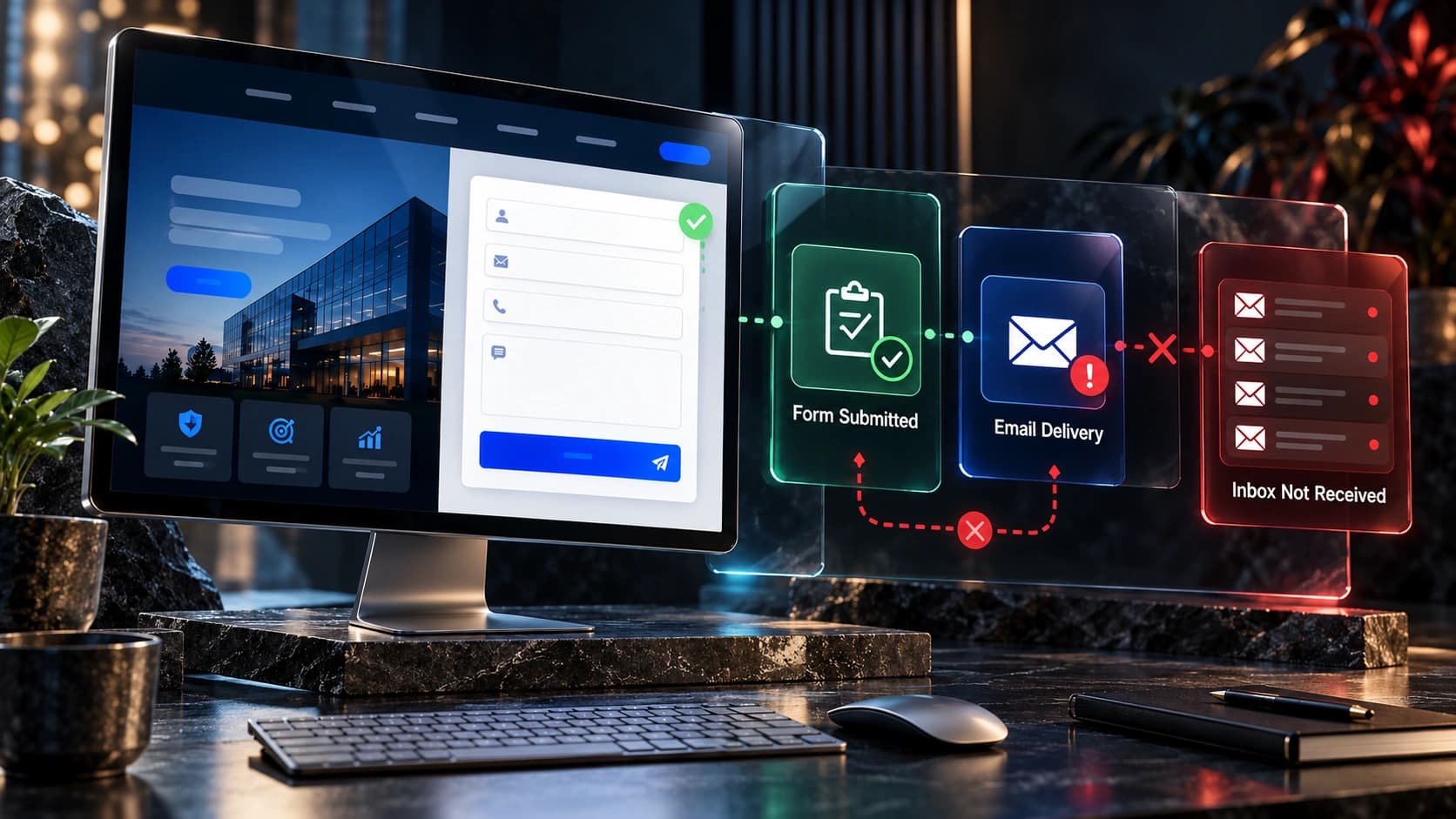
A website-to-CRM integration is not simply a form that creates a contact. It is a sequence of events: a visitor submits information, the website validates it, the integration authenticates, the CRM accepts a record, an owner is assigned, a notification is sent, and a person follows up. Any broken handoff can turn an apparently successful form submission into a lost opportunity. Draw this journey on one page before choosing software. Include the exact systems involved, the people who maintain them, and the fallback path when an API is unavailable. Separate the customer’s visible confirmation from the internal acknowledgement: a thank-you screen proves the browser reached a certain state, not necessarily that the CRM stored a record. Define success as an accepted CRM record with the correct source, owner, and consent details. In a service business, this definition matters because staff may rely entirely on the CRM rather than checking the website’s inbox. A reliable design treats delivery, assignment, and follow-up as distinct responsibilities that need separate tests.
Decide what information belongs in each record
Start with a field map rather than connecting everything automatically. Typical fields include name, email, phone, requested service, location, message, source page, campaign parameters, submission timestamp, and consent state. For each field, document whether it is required, optional, derived, or prohibited. Match field types between systems: a multi-select service field should not be squeezed into an arbitrary text property if the CRM expects a fixed list. Preserve the original message without silently rewriting customer intent. Avoid collecting sensitive information that is unnecessary to provide a quote. A field map should also specify how missing values are handled and which fields sales representatives may edit. For example, a submitted postcode may be used for routing, but it should not overwrite a verified billing address on an existing customer. Test unusual names, international phone numbers, blank optional fields, long messages, and punctuation. These are ordinary inputs, not edge cases that can be ignored.
Choose a delivery architecture with observable results
There are several valid integration patterns: a native CRM form, a WordPress plugin, a server-side API connection, or an automation platform acting as a relay. The best choice depends on security, volume, maintenance capacity, and the CRM’s supported APIs. Native forms can reduce moving parts but may restrict design and validation. A server-side connection offers more control over retries and logging but needs ongoing engineering maintenance. An automation relay can be practical when it provides clear error monitoring, credential management, and replay capability. Avoid relying on an unauthenticated browser request that exposes CRM credentials. The website should submit to a trusted endpoint that validates inputs and sends the record securely. Document the endpoint owner and renewal process for credentials. If the integration is part of a larger website redesign, make the handoff architecture a launch requirement rather than an optional task after the new design goes live.

Prevent duplicate leads without losing legitimate enquiries
Duplicate handling requires nuance. Two submissions from the same email address might represent one accidental double click, or they might be separate service requests months apart. A robust system assigns each submission a unique identifier and uses that identifier for retry protection. When the same delivery is retried after a timeout, the CRM should not create another opportunity. But a genuinely new enquiry should still be recorded as a separate activity or opportunity even when the contact already exists. Define matching rules for email, normalized phone number, and existing customer identifiers. Avoid merging people merely because they share a household phone or business email. Preserve the original enquiry and submission date so the sales team can distinguish new interest from historical records. Run tests for rapid double clicks, browser refreshes, resubmissions after errors, and multiple services requested by the same customer. The goal is to remove accidental duplicates, not erase meaningful customer intent.
Handle failures with retries and a recoverable queue
APIs sometimes fail because of temporary outages, rate limits, expired credentials, or unexpected data. Design for this rather than assuming every request succeeds. A server can acknowledge a submission after storing it safely in a durable queue, then attempt CRM delivery with bounded retries and increasing delays. Failed records should remain recoverable and visible to an administrator. Do not retry indefinitely without alerts, because that can hide a broken connection for days. Differentiate temporary errors from permanent validation failures; an invalid field name will not improve after ten retries. Keep an internal error reference that identifies the submission without exposing private customer details in public logs. Define who receives an alert and how quickly they must respond. If a durable queue is not available, an approved fallback inbox can help, but email should not be treated as a complete replacement for structured CRM records. Recovery procedures should be tested before launch, not invented during an outage.
Preserve consent and protect personal information
Website forms may collect personal data, so the integration should transmit only what is necessary and protect it in transit and at rest. Use HTTPS, least-privilege API credentials, appropriate retention policies, and restricted log access. Store the actual consent wording or version, timestamp, and context when required for the intended marketing activity. Do not treat a quote request as automatic consent to unrelated promotional campaigns. Keep service communications separate from optional marketing subscriptions, and respect withdrawal or deletion requests according to applicable law and business policy. Avoid placing raw customer messages, access tokens, or email addresses in analytics URLs or public error reports. If a third-party automation service processes submissions, document that vendor and its role. Security reviews should include credential rotation, staff permissions, backups, and the process for removing access when a contractor leaves. A well-designed integration builds customer trust by minimizing unnecessary data movement.

Capture attribution without corrupting the lead
Marketing teams often want to know whether a lead came from organic search, a Google Ads campaign, a referral, or a direct visit. Capture useful attribution fields carefully, such as landing page, referrer where available, and UTM parameters, while distinguishing first-touch information from the latest interaction. Avoid overwriting an existing contact’s original acquisition source every time they submit another form. Attribution is inherently imperfect because privacy settings, consent choices, redirects, and cross-device journeys can remove tracking data. Label missing source information as unknown rather than inventing a channel. For paid campaigns, verify that landing pages and conversion events are configured consistently with the advertising platform. The CRM should record business outcomes such as qualified enquiry and booked consultation, not only raw submission counts. This makes it possible to compare campaigns based on lead quality rather than the cheapest form completion.
Route leads to the right person and pipeline stage
A successfully created CRM record is not useful if it sits unassigned. Define routing rules by service, location, customer type, and business hours. Keep the rules simple enough for staff to understand and maintain. If a territory or service field is missing, send the lead to a monitored general queue rather than discarding it. Decide whether the submission creates a new contact, opportunity, task, or a combination of these, and make that decision consistent across forms. Set clear ownership for notifications and follow-up. For example, a general quote request may enter a new-lead stage while an existing customer’s support message belongs in a service queue. Do not send every website message into the same sales pipeline. Test the workflow with realistic scenarios and confirm that staff can see the source page, service requested, and original customer message without searching several tools.
Make confirmations honest and helpful
The website should provide an immediate, accessible response when a visitor submits a form. Explain what happened, when the business expects to reply, and how the customer can contact the company if the request is urgent. Avoid saying ‘Your enquiry has been received’ when the server has not safely accepted it. If delivery fails before durable storage, show a clear error and offer a retry path that does not silently discard the user’s message. A confirmation email can provide reassurance, but it should not contain unnecessary private details. Ensure the confirmation page works on mobile, can be navigated with a keyboard, and does not depend on an animation to communicate success. Track the confirmation event only after the system has accepted the submission, so analytics does not inflate lead counts with failed attempts. Review the wording with the people who actually handle enquiries; unrealistic response-time promises can undermine trust.

Test the complete workflow before launching
A useful test plan includes more than submitting a form once. Test required fields, invalid email addresses, international phone formats, slow connections, API timeouts, CRM validation errors, duplicate clicks, and long messages. Verify that every successful test appears in the correct CRM pipeline with the intended owner and attribution. Check that failed deliveries trigger alerts and can be recovered without creating duplicates. Use designated test contacts and clearly mark them so they do not contaminate reporting. Inspect mobile layouts and keyboard behavior. Confirm that consent choices are respected, notifications go to the correct team, and customer confirmations match the actual outcome. Repeat the tests after changes to form plugins, CRM field definitions, automation rules, or website hosting. Record the test date, responsible person, and evidence so future maintainers can understand what was verified. A launch checklist is valuable only if it reflects real completed tests.
Monitor delivery quality after launch
An integration can work on launch day and break later when a token expires or a CRM administrator renames a field. Monitor submission attempts, accepted records, rejected records, retry counts, and time from submission to assignment. Review discrepancies between website events and CRM entries regularly, allowing for consent and tracking differences. Create a small operational dashboard or scheduled report that highlights failures rather than overwhelming staff with every successful request. Assign responsibility for reviewing alerts and recovering failed submissions. Periodically run a safe synthetic test enquiry through the full path and verify the result. Keep a change log for updates to forms, workflows, API permissions, and CRM pipelines. When a failure occurs, investigate its root cause and reconcile affected submissions before declaring the issue resolved. Reliable operations matter more than a technically impressive integration diagram.
Example: a hypothetical home-services quote flow
Consider a fictional home-services company receiving requests for roof cleaning, driveway cleaning, and window cleaning. Its website asks for the service, postcode, contact details, and a short description. A trusted server validates the request and assigns a submission ID, then stores it for delivery. The CRM receives a contact and an opportunity tagged with the requested service and original source page. A postcode rule assigns the opportunity to the correct territory; if the postcode is outside the normal service area, a general coordinator reviews it rather than silently deleting it. The customer sees a confirmation that explains the expected response window. If the CRM API is temporarily unavailable, the queue retries and alerts an administrator if the problem persists. The business reviews both form completions and qualified appointments. This is a hypothetical workflow, not a claim about a real client or a guaranteed result. Its value is the explicit handling of ownership, failure, and measurement.

Build a practical maintenance and handover checklist
Before handing the integration to the business, document the form inventory, field map, endpoint ownership, API credential location, retry policy, CRM routing rules, consent handling, test cases, and alert recipients. Provide a recovery procedure for failed submissions and a clear owner for each step. Confirm that the business can change staff assignments without editing website code. Record which vendor subscriptions or plugins are required, who pays for them, and what happens if they are canceled. Review backups and data retention. A maintenance checklist should include monthly test submissions, periodic permission reviews, and verification after major website or CRM changes. These details are less visible than a redesigned homepage, but they determine whether new enquiries reliably become sales conversations. Treat the integration as a business process with technology supporting it, not a one-time checkbox in a development proposal.
Frequently asked questions
Should a website form send data directly to a CRM?
Usually a trusted server-side endpoint or supported native integration is safer than exposing CRM credentials in browser code. The correct architecture depends on the CRM and the site’s maintenance resources.
How can I tell whether a lead was lost?
Compare accepted website submissions with CRM records using submission identifiers, timestamps, and delivery logs. Investigate mismatches and retain a recovery path for failed records.
What happens if the CRM is temporarily unavailable?
A durable queue can hold accepted submissions and retry delivery. Staff should receive alerts if the outage persists, and recovery must avoid creating duplicate opportunities.
Can I use Zapier or Make for lead delivery?
An automation relay can work when its authentication, error monitoring, retry behavior, and record history meet your requirements. Test failures as carefully as successful submissions.
Should every form create a sales opportunity?
No. Support requests, job applications, and existing-customer enquiries may belong in separate workflows. Map each form to the correct record type and responsible team.
How do I prevent duplicate CRM contacts?
Use stable submission IDs for retry protection and carefully defined contact matching rules. Preserve genuinely new enquiries as activities or opportunities even when a contact already exists.
What attribution should I store?
Store useful source and campaign details where available, while distinguishing first-touch from latest-touch information. Never invent a source when tracking data is missing.
How often should I test the integration?
Test before launch, after significant website or CRM changes, and periodically during routine maintenance. Use marked test submissions and verify the complete routing and confirmation flow.
Further reading and next steps
For technical guidance, review Google Analytics developer documentation, W3C guidance on accessible forms, and Google Search Central. See Avenzo Digital’s guides to measuring website leads, improving lead forms, turning leads into customers, and contact page design.
Need a website that sends the right enquiries to the right people? Discuss your project with Avenzo Digital and ask about a free homepage mockup. A mockup is an initial design direction, not a guarantee of leads or sales.