A visitor can decide whether they trust a business website within seconds. If the design looks outdated, the information is difficult to find, the site feels insecure, or there is little evidence that real customers have…

A visitor can decide whether they trust a business website within seconds. If the design looks outdated, the information is difficult to find, the site feels insecure, or there is little evidence that real customers have used the business, visitors may leave before contacting you.
Learning how to make a business website look trustworthy is not about making the site look expensive. It is about removing uncertainty and giving visitors clear reasons to believe that your company is legitimate, capable, transparent, and reliable.
Trust is created through many small details. Professional design matters, but so do customer reviews, real business information, clear contact options, secure browsing, responsive design, useful content, consistent branding, accessible navigation, and a smooth user experience.
What Makes a Business Website Look Trustworthy?
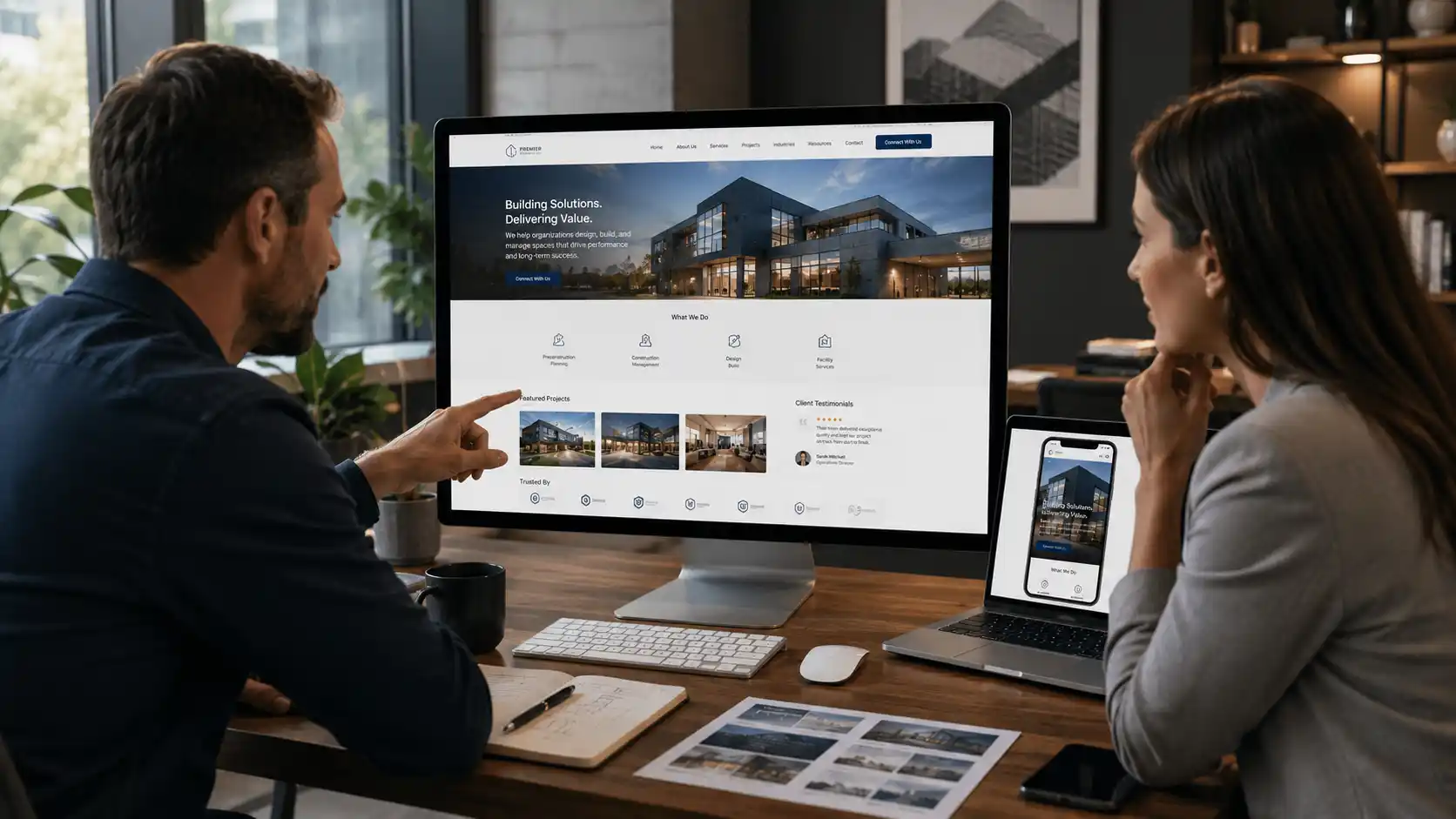
A trustworthy business website clearly communicates who the company is, what it offers, why customers should consider it, and how visitors can safely take the next step. A trustworthy website combines professional design, accurate information, transparent business details, strong user experience, security, social proof, and consistent branding.
No single element creates trust by itself. A beautiful website can still feel suspicious if the contact information is difficult to find. A website with hundreds of reviews can still look unreliable if the design is broken on mobile. Trust comes from consistency. When the visual design, messaging, content, contact information, customer evidence, technical performance, and business details all support the same impression, visitors have fewer reasons to hesitate.
For a business serving customers in the United States, this is especially important when visitors are being asked to request a quote, submit personal information, schedule an appointment, make a purchase, or sign up for a service.
Why Website Trust Matters for Business Growth
People rarely contact a company simply because its website exists. They need enough confidence to believe that the company can solve their problem and that contacting it will be worthwhile.
A visitor may compare several businesses before making a decision. If one website immediately provides clear information, professional visuals, customer proof, transparent contact details, and an easy path to action, that company can have an advantage even when its competitors offer similar services.
Trust also affects conversions. A visitor who understands the service but questions the company’s credibility may continue searching. Another visitor may be interested but hesitate because the website does not explain what happens after submitting a form. The website therefore has two jobs: explain the offer and reduce uncertainty. This is why website design should not be treated as decoration. Good design helps visitors understand information, navigate the site, evaluate credibility, and make decisions.
1. Use a Professional and Consistent Website Design
The visual appearance of a website is one of the first signals visitors notice. An outdated layout, inconsistent fonts, low-quality images, poor spacing, broken elements, or excessive animations can make an otherwise legitimate company appear less established. This does not mean your website needs a complicated design.
A professional business website should have a consistent visual system across pages. The same typography, color palette, button styles, spacing patterns, image treatment, and overall design language should appear throughout the site. Consistency makes the website feel intentional.
For example, if the homepage uses a professional dark-blue color scheme but the service pages suddenly use different fonts and bright unrelated colors, the experience can feel disconnected.
Your branding should also match the type of business you operate. A law firm, construction company, technology company, healthcare provider, and ecommerce brand may all need different visual approaches. The goal is not to make every website look the same. The goal is to make your particular business look credible to the people you want to serve. Avenzo Digital’s UI/UX design services can be relevant when a website needs stronger visual hierarchy, clearer navigation, or a more professional user experience.
2. Make Your Homepage Immediately Clear
A visitor should not have to investigate your website to understand what your company does. The first screen of the homepage should communicate the business, its primary offering, and the next logical action.
For example, a headline such as:
Commercial Electrical Services for Businesses in Houston
is more useful than:
Building Better Solutions for Your Future
The second statement may sound polished, but it does not tell the visitor what the business actually does. Clarity creates confidence. Your homepage should answer basic questions quickly:
Who are you?
What do you provide?
Who do you serve?
Where do you operate?
Why should someone consider your business?
What should the visitor do next?
You do not need to answer every question in the first screen, but the visitor should understand the company’s core purpose immediately.
3. Show Real People, Projects, and Business Information
Stock photography can make a website look polished, but real business evidence is usually more convincing.
- If you are a contractor, show completed projects.
- If you provide professional services, show your team and relevant credentials.
- If you operate a local business, provide real information about your location and service area.
- If you sell products, use accurate product photography and detailed descriptions.
Visitors want evidence that the business exists beyond the website. Real photographs, team information, project examples, customer experiences, certifications, professional affiliations, and business details can all contribute to credibility when they are genuine and relevant.
Avoid manufacturing credibility. Fake testimonials, generic team photographs presented as employees, invented certifications, or exaggerated claims can damage trust instead of improving it. Authenticity is more valuable than visual polish.
4. Add Customer Reviews and Testimonials
Customer feedback is one of the most useful forms of social proof for many businesses. Visitors naturally want to know whether other customers have had a good experience. Testimonials can work especially well when they provide specific information rather than generic praise.
Compare:
Great company. Highly recommended.
with:
They redesigned our service website, improved the mobile experience, and made it much easier for customers to request estimates.
The second testimonial provides context.
Where appropriate, include the customer’s name, company, location, project type, or another legitimate identifying detail. Only use information that the customer has permitted you to publish. Reviews should also be presented honestly. Do not manipulate reviews to create a perfect impression. A trustworthy business website should reflect real customer experiences rather than trying to appear flawless.
If your company has relevant project examples, a case study section can provide more detailed evidence than short testimonials alone.
5. Make Contact Information Easy to Find
A website becomes harder to trust when visitors cannot figure out how to contact the company. Your contact information should be accessible without requiring visitors to search through several pages. For many businesses, useful contact information includes a phone number, email address, physical address when appropriate, business hours, service areas, and a contact form.
The exact information depends on the business model. A local contractor may need a service area and phone number. A national B2B company may focus more on email, sales contacts, office information, and consultation scheduling. The important thing is consistency. Your contact details should not conflict between the website, business listings, advertisements, and other public company profiles. A visitor who sees different phone numbers or addresses may wonder whether the website is current.
6. Use a Secure Website
Website security is both a technical requirement and a trust factor. Visitors are more likely to hesitate when a website displays browser security warnings, has broken forms, redirects unexpectedly, or appears to handle personal information carelessly. An HTTPS connection is an important baseline for modern websites, particularly when visitors submit contact information, make purchases, log into accounts, or share other sensitive data.
Security should also extend beyond the visible browser connection. Businesses should consider software updates, access controls, backups, malware protection, secure plugins, form protection, and ongoing maintenance depending on the technology used. A website can look professional while still having technical vulnerabilities behind the scenes. Avenzo Digital provides website security services for businesses that need help maintaining a safer website environment.
7. Make Your Website Fast and Reliable
A slow website can undermine an otherwise professional design. Visitors expect pages to load without unnecessary waiting, particularly when they are browsing from a mobile device Large images, excessive scripts, poorly optimized themes, third-party tools, inefficient code, and server limitations can all contribute to performance problems.
Speed also affects the overall user experience. Imagine visiting a business website and clicking a service page, but the page takes several seconds to become usable. Then you click the contact page and encounter another delay. Even if the company itself is excellent, the website creates friction.
A professional website should feel responsive. Avenzo Digital offers website speed optimization and Core Web Vitals optimization to address performance issues that can affect user experience.
8. Make the Website Work Properly on Mobile
A website that works well only on desktop does not provide a professional experience. Mobile visitors should be able to read the content, navigate the site, view images, use forms, and interact with buttons without unnecessary effort. Common mobile problems include tiny text, buttons that are difficult to tap, overlapping elements, horizontal scrolling, oversized images, difficult forms, and menus that are hard to use.
Responsive design addresses these problems by allowing the website layout to adapt to different screen sizes. This is more than making the page technically fit a phone screen. The content hierarchy should also make sense on mobile. Important information should remain easy to find. Forms should be comfortable to complete. Buttons should have enough space for touch interaction. Images should load efficiently.
Avenzo Digital provides responsive website design for businesses that need a consistent experience across desktop, tablet, and mobile devices.

9. Improve Your Website Navigation
Confusing navigation makes visitors work harder than necessary. A professional website should make important pages easy to locate. Depending on the business, those pages may include services, products, about information, contact details, locations, case studies, resources, or pricing information.
Navigation does not need to contain every page on the website. Too many menu items can create another problem. A useful navigation structure groups related information logically and gives visitors a clear path through the website. For example, a service company may organize its primary navigation around Services, Industries, About, Resources, and Contact.
The specific structure should reflect how customers actually look for information. If visitors repeatedly ask where a particular piece of information is located, that may indicate a navigation problem.
10. Make Your Service Pages Detailed and Specific
Trust grows when visitors can see that a company understands the service it provides. A vague service page can make a business appear inexperienced. Instead of writing several generic paragraphs about quality and excellence, explain what the service includes, who it is for, how the process works, what problems it addresses, and what customers should expect.
For example, a website development company can explain its discovery process, design approach, development stages, testing, launch process, and ongoing support.
A construction company can explain project types, materials, timelines, preparation requirements, and service areas. A professional service firm can explain its methodology, qualifications, process, and expected client experience. Specific information demonstrates expertise more effectively than broad claims.
11. Show Credentials Without Overloading the Page
Credentials can increase confidence when they are relevant. Depending on your industry, these might include licenses, certifications, professional memberships, awards, partnerships, training, years of experience, or recognized qualifications. However, credentials should be presented carefully. A page covered with badges can look more like a sales pitch than a professional business website.
Use the credentials that actually matter to the customer’s decision. If a certification is important for a particular service, explain what it means. If a partnership demonstrates technical expertise, provide context. The objective is not to display every achievement the company has ever received. It is to give visitors useful evidence that supports their decision.
12. Keep Your Content Accurate and Up to Date
Nothing damages credibility faster than outdated information. A business website may have an attractive design but still feel unreliable if it contains old promotions, discontinued services, outdated staff information, broken links, incorrect contact details, or references to events that happened years ago.
Review your important pages periodically. Check your homepage, service pages, contact information, team details, forms, testimonials, pricing information, and other business-critical content. If the company has changed significantly, the website should reflect those changes. Website maintenance is not only a technical task. It is also a trust responsibility.
Avenzo Digital provides website maintenance to help businesses keep websites functional, current, and supported.
13. Use Clear and Honest Calls to Action
A call to action should tell visitors what will happen next.
“Submit” is functional but vague.
“Request a Free Estimate” communicates more.
“Schedule a Consultation” sets a different expectation.
“Get a Project Quote” is appropriate when the business actually provides quotes.
The CTA should match the real process. Do not promise a free consultation if the business does not provide one. Do not say “instant quote” if visitors have to wait several days. Trust increases when the website’s promises match the actual customer experience. Your CTA should also be visually noticeable without overwhelming the page.
14. Explain What Happens After Someone Contacts You
A simple explanation of the next step can remove significant uncertainty. Visitors may hesitate to complete a form because they do not know what happens afterward.
Will someone call them?
How quickly?
Will they receive a quote?
Is there an obligation?
Will the information be shared?
Do they need to prepare anything?
You do not need a large section to answer these questions. A short process can be enough.
For example:
Submit your inquiry → We review your requirements → A specialist contacts you → We discuss the next steps
The exact process should reflect the actual business workflow. Transparency makes the conversion process feel safer.
15. Use Professional Photography and Visuals
Images influence how visitors perceive a company. Low-resolution images, unrelated stock photography, inconsistent image styles, or poorly cropped photos can reduce the perceived quality of a website. Professional visuals do not necessarily require expensive photography for every page. The priority is relevance and quality.
Use images that help visitors understand the business, service, people, products, projects, or environment. For a contractor, completed project photography can be more valuable than generic construction stock images. For a technology company, product interfaces, team photographs, and project examples may communicate more effectively. For an ecommerce business, accurate product photography is essential.Visual content should support the information rather than distract from it.
16. Improve Accessibility and Readability
Accessibility is often discussed as a technical requirement, but it also contributes to a better overall user experience. Visitors should be able to read content comfortably, understand navigation, identify interactive elements, and use important functionality. Consider text size, contrast, keyboard navigation, image alternative text, form labels, focus states, link clarity, and predictable page structure.
Good accessibility practices can improve usability for a broader range of visitors. Avenzo Digital provides website accessibility improvements for businesses that want to make their websites easier to use and more inclusive.
17. Keep Branding Consistent Across the Website
A trustworthy business website should feel like it belongs to the same company from page to page. Your logo, colors, typography, photography, tone of voice, button styles, icons, and messaging should follow a consistent brand system. Brand consistency helps visitors recognize the business and creates a more established appearance.
This matters particularly when a visitor arrives on a service page through Google rather than entering through the homepage. The visitor may not know much about your company yet. Consistent branding helps create continuity. However, consistency does not mean every page should look identical. Different page types can have different layouts while still sharing the same visual language.
18. Avoid Common Website Trust Mistakes
Some websites try too hard to look trustworthy and end up creating the opposite impression. For example, filling a page with exaggerated claims, dozens of badges, artificial urgency, excessive popups, fake-looking testimonials, or unrealistic guarantees can make visitors skeptical. Trust is usually stronger when the website communicates clearly and provides evidence naturally.
Watch for the common problems including outdated contact information, broken links and forms, low-quality or irrelevant images, fake or vague testimonials, aggressive popups, unclear pricing or service information, missing company details, inconsistent branding, poor mobile usability, security warnings, slow page performance, and overly exaggerated marketing claims.
The best approach is to remove reasons for visitors to doubt the business rather than adding dozens of elements that attempt to convince them.
19. Build Trust Around the Customer’s Actual Concerns
Different industries require different trust signals. A homeowner hiring a contractor may care about licensing, insurance, project examples, reviews, service areas, and communication. A company hiring a software development agency may care about technical experience, project methodology, security, integrations, support, and previous work.
An ecommerce customer may care about product information, returns, shipping, payment security, reviews, and customer support. This means there is no universal checklist for a trustworthy website. Start with the questions your customers ask before buying. Then make those answers easy to find. This approach is more effective than copying trust elements from another company’s website.
20. Make Your Business Website Look Trustworthy by Reducing Friction
One of the most useful ways to evaluate website credibility is to look for friction.
Can visitors find the information they need?
Can they understand the service?
Can they tell who operates the business?
Can they verify the company’s credibility?
Can they contact the business easily?
Can they use the website on a phone?
Can they complete a form without unnecessary effort?
Can they understand what happens next?
If the answer to several of these questions is no, the website likely needs improvement. A trustworthy website does not force visitors to overcome unnecessary obstacles before they can make an informed decision.
How Can I Make a Business Website Look Trustworthy Without Redesigning Everything?
You do not always need a complete redesign. Some trust problems can be fixed through targeted improvements. Start with the homepage and the pages that receive the most traffic. Review the first impression, contact information, service explanations, customer proof, mobile experience, forms, security, and page speed. Then prioritize the problems that affect credibility or conversions most directly.
For example, replacing outdated project images may be more valuable than changing a button animation. Fixing a broken contact form may matter more than selecting a new font. If the underlying structure is strong, focused improvements can make a significant difference. A full redesign becomes more appropriate when the website has widespread problems across design, content, technology, mobile usability, branding, and conversion flow.
Avenzo Digital’s website redesign service can be useful when a business needs to improve several parts of the website rather than making isolated changes.
How Trustworthy Website Design Supports Conversions
Trust and conversion are closely connected. Visitors do not convert simply because a website looks attractive. They convert when the website gives them enough information and confidence to take the next step. Consider a service page for a high-value project.
The visitor may first need to understand the service. Then they may want to know whether the company is qualified. Next, they may look for evidence from previous customers. After that, they may want to understand the process and what happens after submitting an inquiry.
The website can support each stage. A clear headline addresses relevance. Useful service information demonstrates expertise. Reviews and case studies provide evidence. A professional design reduces uncertainty. A clear CTA provides direction. A simple form removes friction. A transparent next step makes the action feel safer. This is why UI/UX design should be connected to business objectives rather than treated as a purely visual exercise.
Avenzo Digital provides website design services for businesses that need a stronger combination of visual design, usability, structure, and business-focused website performance.
How to Audit Your Website for Trust
A simple trust audit can reveal problems that are easy to miss when you work on your own website every day. Start by opening your homepage as if you had never heard of the company. Give yourself a few seconds and ask what you understand immediately. Then review the website on a mobile device. Check whether the navigation works, the text is readable, the forms are comfortable, and important information remains easy to access.
Next, review the service pages. Look for specific information rather than broad claims. Then inspect your contact and conversion process. Submit forms yourself and confirm that everything works. Finally, check your technical experience.
Look for broken links, security issues, slow pages, outdated content, and other problems that can reduce confidence. A useful audit should consider both appearance and function.
When Should You Consider Professional Website Improvement?
If your website has several trust problems at once, making isolated changes may not be enough. For example, you may have an outdated design, weak mobile usability, slow loading, unclear navigation, inconsistent branding, poor service content, and weak conversion paths.

In that situation, the website needs a coordinated improvement strategy. Professional website improvement services can help identify which issues should be addressed first and how different changes should work together. The goal should be to improve the visitor’s experience while also supporting measurable business objectives.
Request a Free Website Audit
If visitors are reaching your website but are not contacting your business, requesting a quote, booking an appointment, or making purchases, trust may be one of the issues worth investigating. A website audit can identify problems across design, UX, content, performance, security, mobile usability, and conversion paths.
A useful review can examine visual credibility and brand consistency, homepage clarity and messaging, navigation and user experience, customer reviews and trust signals, mobile responsiveness, website speed and technical performance, contact forms and conversion paths, security and accessibility, service page quality, and calls to action and next-step clarity.
If you want a second perspective on your website, you can request a consultation with Avenzo Digital to discuss the areas that may be limiting credibility or conversions.
Conclusion
Knowing how to make a business website look trustworthy is less about adding more visual effects and more about removing uncertainty. Visitors should be able to understand who you are, what you do, why they should consider your company, and how they can contact you without unnecessary effort.
Professional design provides the first layer of credibility, but trust goes much deeper. Real customer reviews, accurate business information, quality service pages, secure browsing, responsive design, fast performance, clear navigation, genuine project evidence, accessible content, and transparent calls to action all contribute to the experience.
The strongest websites are consistent from the first impression through the final conversion. If your website looks professional but still struggles to generate inquiries, the problem may not be visual design alone. The issue could be messaging, UX, performance, content, trust signals, technical problems, or the conversion path.
Start with the most important pages and identify the elements that create uncertainty or friction. Fix those issues first, measure the results, and continue improving the experience based on real visitor behavior. A trustworthy website should not simply tell visitors that your business is reliable. It should give them enough evidence to reach that conclusion themselves.
Frequently Asked Questions
How can I make a business website look trustworthy?
You can make a business website look trustworthy by using professional and consistent design, accurate business information, real customer reviews, strong security, responsive design, clear service information, quality visuals, transparent CTAs, and an easy-to-use customer experience.
What makes a website look unprofessional?
Outdated design, broken links, poor-quality images, inconsistent branding, slow performance, difficult navigation, mobile usability problems, excessive popups, vague content, and outdated business information can make a website look less professional.
Do customer reviews make a website more trustworthy?
Yes, genuine customer reviews can provide useful social proof. Specific testimonials that explain the customer’s experience are generally more informative than vague statements of praise.
Does website design affect trust?
Yes. Design influences how visitors perceive the professionalism, organization, and reliability of a business. However, visual design works best when combined with accurate information, strong UX, security, and genuine business evidence.
Should a business website show its address?
If the business has a physical location or serves a specific geographic market, providing relevant location information can help visitors understand where the company operates. The exact information should match the business model and public-facing business details.
Does HTTPS make a website more trustworthy?
HTTPS provides a secure connection between the visitor’s browser and the website. It is an important baseline for modern websites, particularly when visitors submit information or complete transactions, but security alone does not make a business credible.
How important is mobile design for website trust?
Mobile design is very important because visitors expect a website to be usable across different devices. Difficult navigation, tiny text, broken layouts, or hard-to-use forms can reduce confidence in the business.
Should I put testimonials on every page?
Not necessarily. Testimonials are most useful where they support a visitor’s decision. Place relevant customer evidence near services, offers, or conversion points where it can address genuine concerns.
Can a simple website still look trustworthy?
Yes. A simple website can look highly professional when it has clear messaging, consistent design, useful information, real business evidence, good performance, strong mobile usability, and an easy path to contact the company.
How often should I update my business website?
There is no universal schedule, but important business information should be updated whenever it changes. Businesses should also periodically review content, forms, links, images, security, software, performance, and mobile usability to prevent the website from becoming outdated.