Discovering that your WordPress website has been hacked can be stressful, especially if the website is responsible for generating leads, processing payments, collecting customer information, or representing your business online. A hacked website may suddenly show…
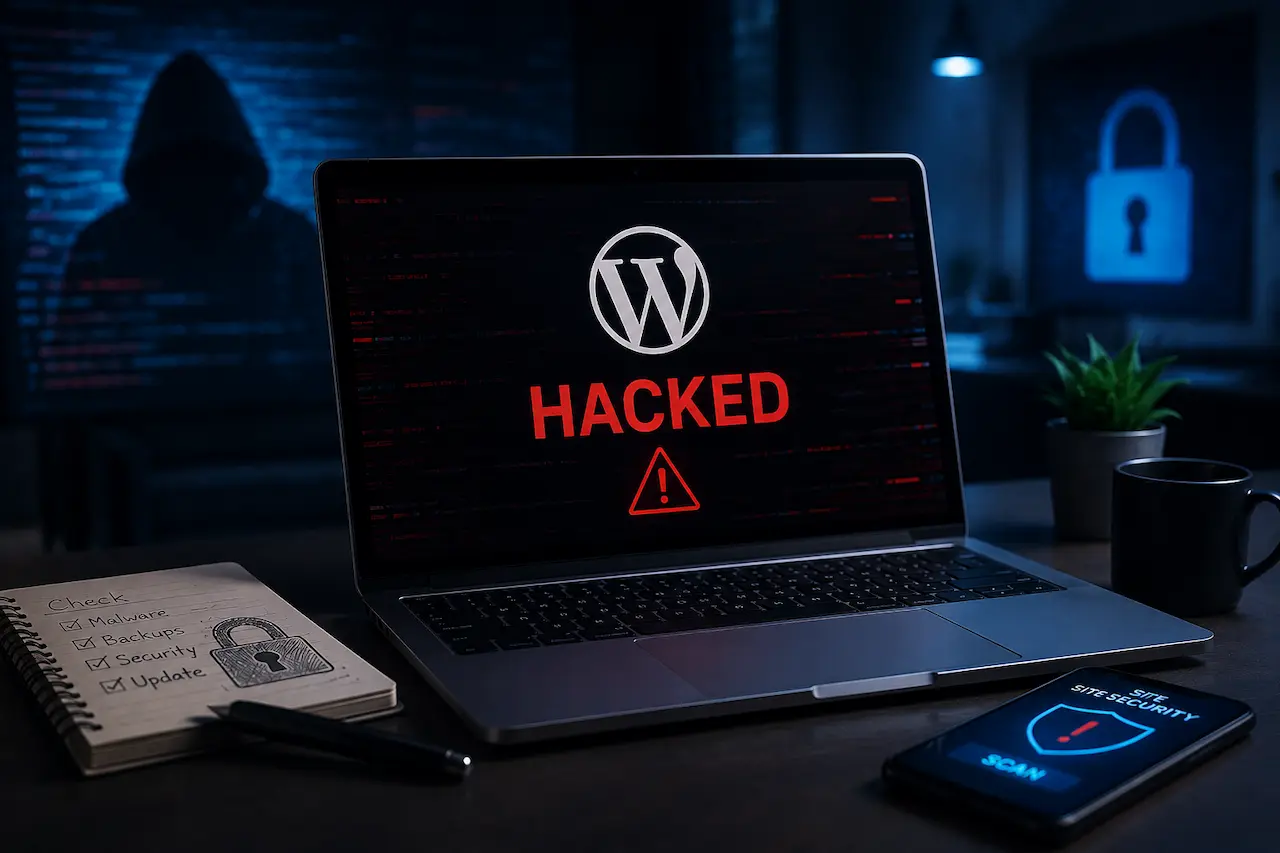
Discovering that your WordPress website has been hacked can be stressful, especially if the website is responsible for generating leads, processing payments, collecting customer information, or representing your business online. A hacked website may suddenly show unfamiliar content, redirect visitors to suspicious websites, contain unknown administrator accounts, display spam pages, or trigger security warnings in browsers and search engines. In some cases, the website may continue looking normal while malicious code operates quietly in the background.
The most important thing is not to panic and start deleting files randomly. A rushed cleanup can remove useful evidence, damage legitimate website files, or leave the original vulnerability open. If your WordPress website has been compromised, the goal should be to contain the problem, secure your accounts, identify how the attacker gained access, remove the malicious code, restore the website safely, and strengthen the website so the same problem does not happen again.
A hacked WordPress website is more than a technical inconvenience. It can affect your website’s functionality, search visibility, reputation, customer trust, and business operations. If the site contains customer accounts, payment information, or other sensitive data, the situation may require additional attention from your hosting provider, security professionals, or other appropriate specialists.
How Do You Know If Your WordPress Website Has Been Hacked?
Not every WordPress hack looks the same. Some attacks are immediately obvious because the homepage has been replaced with a hacker message or the entire website has stopped working. Other compromises are much harder to notice because attackers try to keep the website looking normal while using it for spam, redirects, unauthorized access, or other malicious activity.
You may notice that visitors are being redirected to unfamiliar websites, strange popups are appearing, or new pages are showing up in Google that you never created. You might also find unfamiliar administrator accounts, unexpected files, suspicious links, changes to website content, or unusual activity inside your hosting account.
A sudden change in website performance can also be a warning sign. If the website becomes unusually slow, starts consuming more server resources, or behaves differently for certain visitors, it is worth investigating rather than assuming the problem is simply a hosting or performance issue.
Common warning signs include:
- Unexpected redirects to unfamiliar websites
- New administrator accounts you did not create
- Unknown files or folders on the server
- Unauthorized changes to website content
- Spam pages appearing in search results
- Suspicious links added to pages
- Unexpected popups or advertisements
- Plugins or themes behaving unusually
- Security warnings from browsers or Google
- Unexpected password reset emails
- Unusual hosting, FTP, or login activity
If you notice several of these issues at the same time, treat the website as potentially compromised and begin investigating immediately.
What Should You Do First If Your WordPress Website Is Hacked?
Your first priority should be to contain the problem without destroying evidence that could help you understand what happened. Avoid making large changes to the website until you have documented the symptoms and, where possible, preserved a backup or copy of the compromised environment.
Take screenshots of suspicious pages, redirects, unexpected users, browser warnings, and unusual content. Write down when you first noticed the problem and what changes you observed. This information can become useful when reviewing server logs or discussing the incident with your hosting provider or a security professional.
If the website is actively exposing visitors to malicious redirects or other harmful behavior, consider temporarily restricting access while the investigation takes place. The appropriate approach depends on the type of website and the severity of the compromise.
You should also contact your hosting provider as early as possible. Your host may have access to server logs, malware scanning tools, backups, and security controls that can help determine what happened and whether the compromise extends beyond WordPress itself.
Change Your WordPress and Related Account Passwords
If you believe your WordPress website has been compromised, change the passwords for legitimate administrator accounts using secure, unique passwords. Do not assume that changing only your own WordPress password is enough because an attacker may have created another administrator account or compromised another user with elevated permissions.
You should also review credentials associated with the hosting account, database, FTP or SFTP access, domain registrar, business email, and other systems connected to the website. A WordPress compromise can sometimes begin with credentials outside the WordPress dashboard.
Changing passwords is especially important after the website has been cleaned. If an attacker still has access to a compromised account, they may be able to reinfect the website even after malicious files have been removed.
Enable Two-Factor Authentication
Two-factor authentication provides an additional layer of protection for your important accounts. Instead of relying entirely on a password, the account also requires another authentication factor before access is granted.
Enable two-factor authentication for WordPress administrator accounts whenever your security setup supports it. You should also consider protecting your hosting account, domain registrar, email account, and other important systems with two-factor authentication.
This is particularly valuable for administrator accounts because an administrator can make major changes to WordPress settings, users, plugins, themes, and website files. If a password is stolen, two-factor authentication can make it considerably more difficult for an attacker to use that password alone to regain access.
Contact Your Hosting Provider
Your hosting provider can be an important part of the recovery process because they may have access to information that you cannot see from the WordPress dashboard.
Ask your hosting provider whether they have detected unusual activity, suspicious processes, modified files, unauthorized login attempts, or other indicators of compromise. You can also ask whether they have clean backups from before the suspected attack occurred.
If your website is hosted on a shared server, ask whether other websites or accounts on the same environment have been affected. If the attacker compromised hosting credentials rather than WordPress itself, simply cleaning WordPress may not solve the underlying problem. Your hosting provider may also be able to temporarily isolate the website, perform additional malware scans, or provide server-level information that can help with the investigation.
Create or Preserve a Backup Before Major Cleanup
If you can safely create a complete backup of the compromised website, preserve a copy before making extensive changes. This gives you a record of the website’s condition and may help when comparing files or investigating how the compromise occurred.
However, remember that a backup created after the hack may already contain malicious code. You should not assume that the newest backup is automatically clean.
Historical backups are often much more useful because they can help you identify a version of the website that existed before the compromise. If you know approximately when the hack occurred, look for a backup from before that period. A reliable backup strategy should exist before a security incident occurs. Regular backups stored separately from the live website can make recovery much easier if the website is ever compromised.
Find Out How the Attacker Gained Access
Removing malware is only one part of recovering a hacked website. You also need to understand how the attacker got in. If the original vulnerability remains open, the website can be compromised again even after a successful cleanup. Common entry points include outdated WordPress core software, vulnerable plugins or themes, compromised administrator credentials, insecure hosting configurations, stolen FTP credentials, and vulnerabilities in custom website functionality.
Review what changed around the time the compromise occurred. An unfamiliar plugin installation, unexpected administrator account, suspicious file modification, or unusual login may provide clues.
The goal is to identify the original entry point and close it before bringing the website fully back online. Otherwise, you may end up repeatedly cleaning the same website without actually resolving the security problem.
Scan the Website for Malware
A malware scan can help identify suspicious files, modified WordPress core files, injected scripts, malicious redirects, backdoors, and other indicators of compromise. Security plugins and server-level scanning tools can be useful starting points, especially when a website contains a large number of files.
However, automated scanning should not always be considered a complete security investigation. Sophisticated malicious code can be hidden inside legitimate-looking files or placed in locations that automated scanners do not immediately identify.
If the compromise is serious, a manual review of website files, database content, user accounts, server configuration, and access logs may also be necessary. A website that looks clean after one automated scan is not automatically guaranteed to be completely secure.
Review All WordPress Administrator Accounts
Check every administrator account in your WordPress dashboard and look for usernames, names, and email addresses you do not recognize. An unauthorized administrator account can give an attacker continued access even after visible malware has been removed.
If you find an account you believe is malicious, preserve any relevant information before deleting it if logs or investigation records may be useful. Once the account has been properly documented, remove unauthorized access.
You should also review legitimate accounts and determine whether every user actually needs administrator-level permissions. A content editor, writer, or other team member may not need full administrator access. Using the principle of least privilege reduces the potential damage if one account is compromised in the future.
Check Your WordPress Plugins and Themes
Plugins and themes deserve special attention after a WordPress security incident because outdated or vulnerable software can provide attackers with an entry point. Review every installed plugin and theme and determine whether it is still necessary. Remove software that is no longer being used instead of simply leaving it inactive. Unused software can become a security concern when it remains outdated or contains vulnerabilities.
For plugins and themes that you still need, install current versions from trusted sources and verify that they are actively maintained. If a plugin or theme was specifically associated with the compromise, replacing it with a clean copy may be safer than assuming that a simple update has removed every malicious modification.
After the immediate security issue is resolved, ongoing WordPress maintenance and support can help businesses keep plugins, themes, and WordPress itself properly maintained.
Check WordPress Core Files
A compromised website may contain modifications to WordPress core files. If core files have been altered, replacing them with clean versions can help remove unauthorized changes. However, do not blindly overwrite files before understanding what has been modified. Although WordPress core files generally should not be manually customized, every website should still be reviewed carefully before files are replaced.
Remember that malware may exist outside the WordPress core. Plugins, themes, uploads, configuration files, databases, and server-level settings can all be affected. A complete cleanup therefore needs to consider the entire website environment rather than focusing on a single folder.
Check the WordPress Database

Attackers do not always place malicious code directly into PHP files. A compromised WordPress website may also contain unauthorized database changes. Attackers can modify posts, pages, widgets, options, user accounts, or other database information. They may insert spam links, hidden content, malicious scripts, or redirects into database fields.
Database cleanup requires particular care because deleting the wrong information can remove legitimate website content or settings. If you discover unexpected database records or content, create a backup before making changes and consider having the database reviewed by someone experienced with WordPress security. A complete cleanup should verify both the website’s files and its database rather than assuming that one clean scan means everything is safe.
Look for Backdoors
A backdoor is malicious code that allows an attacker to regain access to the website after the original vulnerability has been fixed. This is one of the reasons simply deleting visible malware may not be enough. An attacker may leave hidden scripts in plugin directories, theme files, uploads folders, configuration files, or other locations where executable code may be difficult to notice.
The challenge is that legitimate WordPress files can sometimes look suspicious if you are unfamiliar with their purpose. Deleting files simply because they have unusual names can break the website, while failing to identify a hidden backdoor can allow the attacker to return. For serious compromises, the website should be examined carefully for unauthorized code and unexpected changes throughout the installation.
Review Server and Login Logs
Server and login logs can provide useful clues about what happened before and during the attack. Depending on your hosting environment, logs may show suspicious login attempts, requests to vulnerable files, unusual access patterns, and other activity.
If you know approximately when the compromise occurred, review activity around that period. Compare suspicious login activity with file modification times and other changes you discovered during the investigation. Logs can help answer important questions about the incident, including which account was used, when suspicious activity began, and which part of the website may have been targeted.
This information can make it easier to identify the original vulnerability and prevent the same attack from happening again.
Restore the Website From a Clean Backup
If you have a verified backup from before the compromise, restoring it may be safer and faster than manually cleaning a severely infected website.
However, restoring a backup does not automatically fix the security problem. If the attacker gained access through a vulnerable plugin, stolen password, or insecure hosting configuration, that same weakness may still exist after the restoration.
Before bringing the restored website back online, update vulnerable software, change compromised passwords, review administrator accounts, and investigate the original entry point. A clean backup should therefore be treated as one part of the recovery process rather than the complete solution.
Update WordPress, Plugins, and Themes
Once the website has been cleaned and the original entry point has been identified, update WordPress core, plugins, and themes to secure versions. Remove software that is outdated, unsupported, unnecessary, or no longer maintained. Avoid installing plugins and themes from unreliable sources because their code and update practices may introduce additional risks.
Before applying major updates to a compromised production website, make sure you have a reliable backup and understand the website’s dependencies. Updates can sometimes create compatibility problems, particularly on older WordPress installations.
Ongoing WordPress services can help businesses keep their WordPress environment maintained after the immediate security incident has been resolved.
Check Whether Hackers Created Spam Pages
Some attackers do not replace the homepage or visibly damage the website. Instead, they use the compromised website to create spam pages, inject unwanted links, or redirect visitors.
These pages may target unrelated search queries and may be designed to take advantage of the website’s existing authority. In some cases, the business owner may not notice them because the homepage and main pages appear normal.
Search your website in Google and review Google Search Console for unusual queries, unexpected indexed pages, and other changes you do not recognize. Do not assume that the website is clean simply because it looks normal when you visit the homepage. A compromise can exist in the background without producing an obvious visual warning.
Check Google Search Console After Cleanup
Once the website has been cleaned, review Google Search Console to look for security alerts, indexing problems, unexpected pages, manual actions, and unusual changes in search performance.
If Google has identified a security issue, make sure the underlying problem has actually been resolved before taking the appropriate review or remediation steps.
It is important to distinguish between cleaning the server and recovering search visibility. Removing malicious code is the first priority, but the website may still need additional work to address spam URLs, unwanted redirects, indexing problems, or other SEO issues created during the compromise.
Review Your SEO After a WordPress Hack
A hacked website can cause SEO problems even after the security issue has been fixed. Attackers may create spam URLs, inject hidden links, modify metadata, change content, add redirects, or cause important pages to return errors.
After cleaning the website, crawl the site and review important pages. Check title tags, meta descriptions, canonical URLs, internal links, redirects, indexability, status codes, and unexpected pages.
It is also useful to compare the current website with a known-good version from before the compromise. This can help identify changes that may otherwise be difficult to spot. A technical SEO audit can help identify indexing, technical, and on-page issues that remain after a security incident.
How Can You Prevent Your WordPress Website From Being Hacked Again?

Cleaning a hacked website is only the beginning. Once the immediate problem has been resolved, you need to improve the website’s security so the same type of attack is less likely to happen again.
Start with account security. Use strong unique passwords, enable two-factor authentication, remove unnecessary administrator accounts, and make sure former employees, developers, or contractors no longer have access when they stop working on the website.
Keep WordPress, plugins, and themes updated and remove software you do not need. Maintain regular backups and store them separately from the live website whenever possible. You should also monitor the website for suspicious changes. Security monitoring can help identify unusual login activity, modified files, malware, or other warning signs before a compromise becomes more serious.
Avenzo Digital also offers WordPress malware removal and security for businesses dealing with compromised WordPress websites and ongoing security concerns.
Create a Reliable WordPress Backup Strategy
A backup is one of the most valuable protections you can have when something goes wrong with your website. However, simply having a backup plugin installed does not guarantee that your backups are useful. Your backup strategy should consider how frequently your website changes, where backups are stored, how long they are retained, and whether they can actually be restored.
Whenever possible, keep backups separate from the live website. If an attacker gains access to the server and can delete everything stored there, backups located in the same environment may not be available when you need them. You should also test your backups periodically. A backup that has never been restored successfully should not be treated as a guaranteed recovery solution.
Monitor Your Website for Security Problems
Security monitoring can help identify suspicious changes before they become major problems. Depending on the website and hosting environment, monitoring may include malware scanning, file integrity checks, login monitoring, firewall protection, vulnerability alerts, and other security measures.
The right combination depends on the size and complexity of the website. A small business website may have different requirements from a large eCommerce website handling customer accounts and transactions.
The important thing is to have a system that can identify unusual activity quickly. The earlier a compromise is detected, the easier it may be to contain and recover from the problem.
Limit Administrator Access
Every administrator account represents another potential access point to your website. For that reason, you should regularly review WordPress users and make sure each person has only the permissions they actually need.
A writer who only publishes content may not need administrator access. A developer may need elevated access while working on a project but may not need permanent administrator privileges afterward.
When an employee, contractor, or agency stops working on the website, remove their access promptly.
Good access management is a simple but important part of WordPress security because it reduces the number of accounts that an attacker could potentially compromise.
Secure Your Hosting Environment
WordPress security does not end at the WordPress dashboard. Your hosting account, database, server configuration, PHP version, file permissions, FTP accounts, control panel, and domain account can all affect the security of your website. If an attacker obtains hosting credentials, they may be able to modify website files without ever logging into WordPress.
Use secure connection methods such as SFTP where supported, protect hosting credentials, enable two-factor authentication on your hosting account, and regularly review who has access to the server. Your hosting provider should also be informed about serious security incidents so they can check for activity that may not be visible from WordPress.
What If Your Website Gets Hacked More Than Once?
If your WordPress website keeps getting hacked after cleanup, that is a strong indication that the original security problem has not been completely resolved. There may still be a hidden backdoor, compromised credentials, vulnerable software, insecure hosting configuration, or another entry point that allows attackers to return.
Repeatedly deleting individual malicious files without investigating the underlying cause is unlikely to provide a long-term solution.
A repeated compromise should trigger a more comprehensive security investigation. The objective should be to understand the complete attack path, remove remaining unauthorized access, close the original vulnerability, and strengthen the environment before restoring normal operations.
Should You Rebuild a Hacked WordPress Website?
A hacked WordPress website does not always need to be rebuilt from scratch. If the compromise can be completely removed and the website can be restored to a clean, secure state, rebuilding may not be necessary.
However, rebuilding can make sense when the installation is severely compromised, extremely outdated, poorly maintained, filled with unnecessary plugins, or based on a structure that is difficult to secure.
The decision should consider the severity of the compromise, the quality of available backups, the condition of the existing codebase, and the importance of the website’s functionality.
If you do decide to rebuild, make sure security and SEO are considered during the process. A poorly planned rebuild can introduce new problems, including lost content, broken URLs, missing redirects, indexing issues, and performance problems.
Final Thoughts
If your WordPress website gets hacked, stay calm and respond systematically. Secure your accounts, contact your hosting provider, preserve a backup, and identify how the attacker gained access before cleaning the website.
After removing the malware, update WordPress, plugins, and themes, review your SEO and Google Search Console, and strengthen your security with regular backups, monitoring, strong passwords, and limited administrator access.
For businesses, proper WordPress security is essential for protecting the website, customers, leads, and online visibility.
Frequently Asked Questions
1. What should I do first if my WordPress website gets hacked?
Secure your accounts, contact your hosting provider, document the issue, and preserve a backup before making major changes.
2. How can I tell if my WordPress website has been hacked?
Common signs include unexpected redirects, spam pages, unfamiliar users, strange content changes, suspicious files, and security warnings.
3. Can a hacked WordPress website be recovered?
Yes. Most hacked websites can be recovered by removing malicious code, fixing the vulnerability, restoring clean files, and strengthening security.
4. Should I delete suspicious WordPress files?
Do not delete files randomly. Some may be legitimate, while deleting important files can break the website or remove useful evidence.
5. Can outdated WordPress plugins cause a website hack?
Yes. Vulnerable or outdated plugins and themes can provide attackers with an entry point into a WordPress website.
6. Should I restore my website from a backup after a hack?
A verified clean backup can be useful for recovery, but you should also fix the vulnerability that allowed the attacker to access the website.
7. Can a WordPress hack affect SEO?
Yes. Hackers can create spam pages, inject links, add redirects, modify content, and cause indexing problems that can hurt search visibility.
8. How can I prevent my WordPress website from being hacked again?
Keep WordPress and its components updated, use strong passwords and two-factor authentication, limit administrator access, maintain reliable backups, and monitor the website.
9. Do I need professional help to remove WordPress malware?
Simple issues may sometimes be handled internally, but serious or repeated compromises often require experienced WordPress security professionals to identify and remove hidden threats.
10. Should I rebuild my WordPress website after it gets hacked?
Not always. A clean and secure recovery may be enough, but rebuilding can make sense if the website is severely compromised, outdated, or difficult to secure.
Related Avenzo Service
For implementation help beyond this guide, explore Avenzo’s WordPress development services for custom builds, migrations, performance, security, and ongoing support.
WordPress Development →