A website redesign is usually supposed to be a positive change. Businesses redesign websites to create a more modern appearance, improve user experience, make navigation easier, increase conversions, and perform better across mobile devices. But after…
A website redesign is usually supposed to be a positive change. Businesses redesign websites to create a more modern appearance, improve user experience, make navigation easier, increase conversions, and perform better across mobile devices. But after launching the new site, some businesses notice something they were not expecting: organic traffic starts falling, important keywords lose positions, and pages that previously ranked well suddenly disappear from search results.
If your website rankings dropped after redesign, the new design itself is not necessarily the problem. A redesign can change many SEO signals at the same time, including URLs, page content, internal links, metadata, site architecture, canonical tags, redirects, page speed, and indexing settings. If those changes are not handled carefully, search engines may have difficulty connecting the new website with the signals and content that made the old website successful.
Google explains that significant site changes can cause temporary ranking fluctuations while Google recrawls and reindexes the updated pages. At the same time, Google recommends preparing URL mappings, implementing redirects, updating internal links and sitemaps, and monitoring the new site carefully during a migration. The important question, therefore, is not simply whether your rankings dropped. It is why they dropped.
Why Can a Website Redesign Affect SEO Rankings?
Search engines do not evaluate a website based only on how attractive it looks. They use many different signals to understand what each page is about, which pages are important, how pages are connected, whether content can be crawled and indexed, and whether a page provides a useful result for a particular search. A redesign can change several of these signals without the business owner realizing it.
For example, a website may have had a service page that ranked for hundreds of searches because it had a strong URL, detailed content, relevant internal links, quality backlinks, appropriate metadata, and a clear place within the site’s architecture. During a redesign, that page might receive a new URL, shorter content, a different H1, fewer internal links, and a new canonical URL. Each individual change may seem small, but together they can significantly change how search engines interpret the page.
This is why SEO should be considered part of the redesign process rather than something that is checked after the new website has already gone live.
Avenzo Digital takes this approach with its redesign service, where the existing site’s design, content, SEO performance, and conversion paths are reviewed before the rebuild. The process also includes SEO-safe migration, URL mapping, redirects, technical SEO checks, tracking verification, pre-launch and post-launch optimization.
1. Your Website URLs Changed
One of the most common reasons rankings fall after a redesign is a change in URL structure.
Imagine that your old website had a page at:
example.com/seo-services/
During the redesign, that page is changed to:
example.com/digital-marketing/seo/
The new URL may be perfectly reasonable from a business or organizational perspective. However, search engines now need to understand that the new URL represents the same important resource that previously existed at the old URL.
The old URL may have accumulated backlinks, internal links, search visibility, bookmarks, and other signals over several years. Simply deleting the old URL and launching the new one does not automatically create a perfect connection between the two.
This is why URL mapping is an important part of a redesign. Google recommends creating a mapping between old URLs and their corresponding new URLs when URLs change. It also recommends permanent server-side redirects, such as 301 or 308 redirects, where appropriate.
A proper redirect tells visitors and search engines where the old resource has moved. Without that connection, valuable pages can effectively become disconnected from the website’s previous SEO history.
2. Your 301 Redirects Were Missing or Incorrect

Changing URLs is not automatically harmful to SEO. Poorly managed URL changes are the real problem. A common redesign mistake is launching the new website without creating redirects for important old pages. Another mistake is redirecting hundreds of old URLs to the homepage regardless of what the original page was about.
For example, if an old page about WordPress development is removed, sending that URL to the homepage does not necessarily provide users with an equivalent destination. Google specifically warns against redirecting many unrelated old URLs to a single destination such as the homepage because this can create confusing results and may be treated as a soft 404.
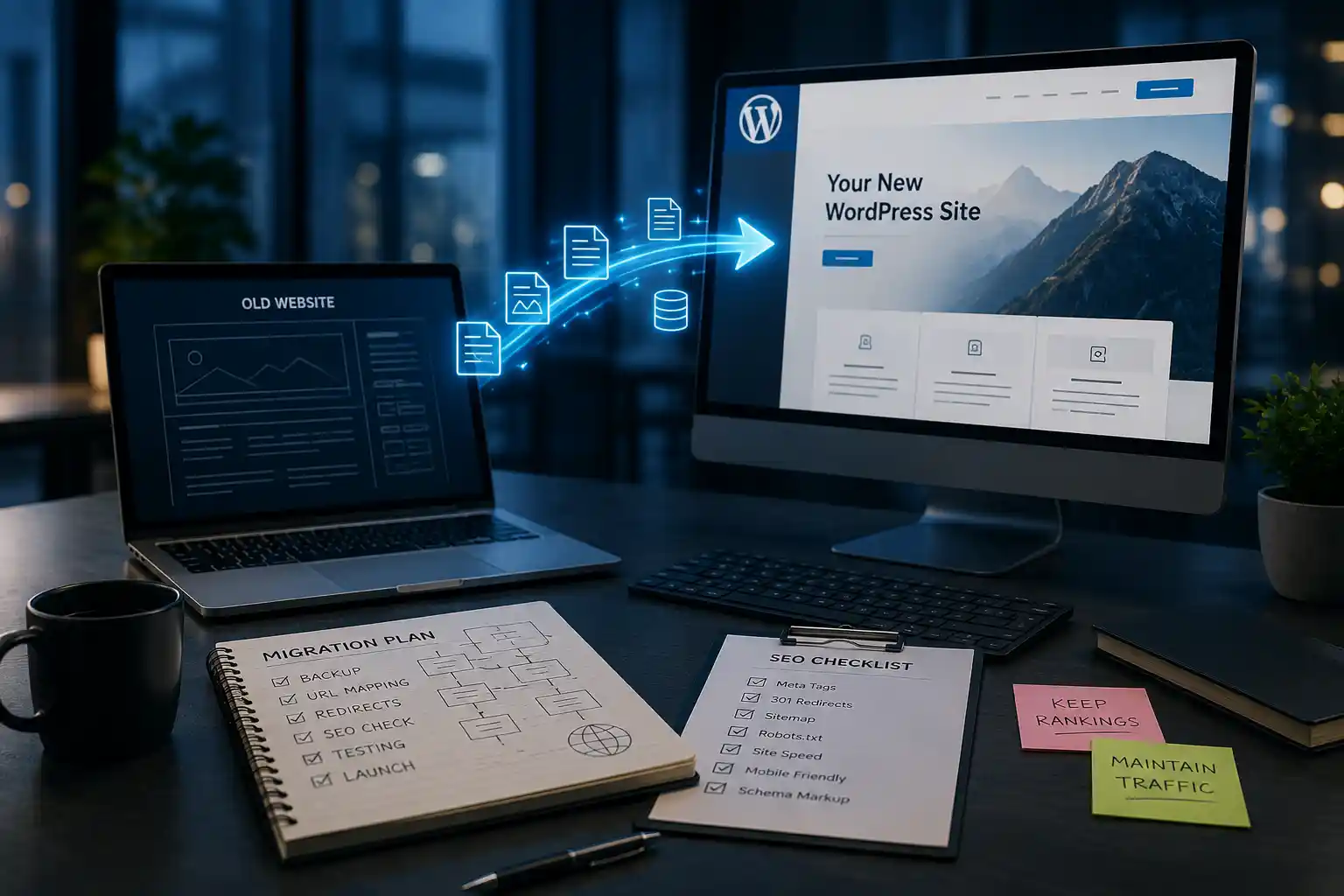
The better approach is to map each important old URL to its closest relevant new page. If several old pages were genuinely consolidated into one new resource, those old URLs can be redirected to the consolidated page. Businesses planning a major redesign can also benefit from a dedicated website migration service to manage URL changes, redirects, and technical SEO considerations.
You should also avoid unnecessary redirect chains. If an old page goes through several redirects before reaching the final destination, users and crawlers have to follow additional steps. Google recommends redirecting old URLs directly to the final destination whenever possible.
3. Important Content Was Removed During the Redesign
A redesign often comes with a content cleanup. That can be useful when a website contains outdated, duplicated, thin, or irrelevant pages. However, removing content without understanding its search performance can create unexpected ranking losses.
A page may look outdated from a design perspective while still generating valuable organic traffic. It may rank because it answers specific questions, covers related topics, contains useful supporting information, or has earned links from other websites.
When the redesign team replaces that detailed page with a short section containing only a headline, a few sentences, and a contact form, the new version may no longer provide the same level of topical information. The solution is not to preserve every old sentence forever. Instead, review the performance of important pages before removing or rewriting them.
Look at which pages generate organic traffic, which pages rank for valuable queries, which pages attract backlinks, and which pages contribute to leads or sales. Those pages deserve a more careful website migration. The content can still be improved. But the redesign should not accidentally remove the information that helped the page perform in search.
4. Your Title Tags and Headings Changed
Another common problem is changing important on-page elements during the redesign. Designers and business owners naturally want headlines that sound modern and persuasive. But a headline that works well visually may not clearly communicate the subject of the page.
For example, an old service page might have used a title such as “WordPress Website Development Services”. The redesigned version might use a much broader headline such as “Build Something Better.” The second headline may be more creative, but it provides considerably less context about the page’s actual topic.
This does not mean every heading needs to be stuffed with exact-match keywords. Search-focused copy should still sound natural and be written for people. However, important pages should clearly communicate what they offer and what users can expect to find there.
During a redesign, compare the old and new versions of your title tags, H1s, major headings, page copy, and metadata. If rankings dropped immediately after these elements were changed, they should be part of your investigation.
5. Your Internal Links Were Removed
Internal linking is another area that can easily be damaged during a redesign. Your old website may have had dozens or hundreds of contextual links connecting related pages. When the new site is built, those links may disappear because content was rewritten, navigation was simplified, templates changed, or old blog posts were migrated without their original links.
That matters because internal links help visitors move through a website while also helping search engines discover pages and understand relationships between them. Imagine a website selling digital services. Its old structure might connect the homepage to web development, web development to WordPress services, and relevant blog posts back to those commercial service pages. If the redesign removes most of those connections, important pages may become less integrated into the site’s overall structure.
A redesigned website should therefore be crawled after launch to identify broken internal links, orphan pages, unnecessary redirecting links, and important pages that have lost contextual support.
6. Your Canonical Tags Changed
Canonical tags can also cause problems when a website is rebuilt. A canonical tells search engines which URL represents the preferred version of a page when multiple URLs or similar versions exist. During a redesign, canonical tags can accidentally point to an old URL, another page, a staging environment, or an incorrect version of the current page.
This can create confusing signals.
For example, imagine the new page is:
example.com/services/seo/
but its canonical points to:
example.com/services/
Search engines may interpret the second URL as the preferred version rather than the page you intended to rank. Every important page should therefore be checked after the redesign to make sure its canonical configuration reflects the new site structure. This becomes especially important when the redesign includes URL changes, content consolidation, category restructuring, or multiple versions of similar pages.
7. The New Website Is Accidentally Blocking Search Engines

One of the most serious redesign problems occurs when the new website is technically accessible to users but blocked from search engines. During development, developers often prevent search engines from crawling or indexing a staging website. They might use a noindex directive or restrict crawling through robots.txt.
There is nothing inherently wrong with doing this during development. The problem happens when those restrictions remain after the website goes live.
Google specifically identifies forgotten noindex directives and robots.txt blocks as common migration mistakes that can prevent new pages from being indexed properly.
After launch, review your robots.txt file and important pages for accidental indexing restrictions. Use Google Search Console to inspect pages that have disappeared from search results or are not being indexed as expected.
A website can look completely normal when you open it in Chrome while still sending search engines instructions that prevent crawling or indexing. That is why technical verification is essential after a redesign.
8. Your XML Sitemap Was Not Updated
A redesign that changes URLs should also involve an updated XML sitemap. Your sitemap should represent the current version of the website and contain the URLs you want search engines to discover and index. If the sitemap continues to contain old URLs while the new site uses completely different URLs, it can make the migration less clear. Google recommends updating sitemaps with the new URLs and submitting the new sitemap through Search Console during a site move.
After launching the redesigned website, check that the sitemap contains the correct URLs, that those URLs are accessible, and that they are consistent with the canonical URLs used on the pages. Do not simply assume that the sitemap plugin or CMS has handled everything correctly. A quick technical check can identify problems before they become larger indexing issues.
9. Your Website Became Slower
A redesign can improve visual appearance while making the website technically heavier. New themes, animations, sliders, large images, custom fonts, tracking scripts, third-party tools, and plugins can all increase page weight. If the new website takes significantly longer to load or respond to user interaction, the overall user experience can suffer. Performance should therefore be compared before and after the redesign. If the redesigned website has become noticeably slower, website speed optimization can help identify and resolve performance bottlenecks.
Avenzo Digital’s website speed service focuses on identifying specific causes of slow performance, including images, code, hosting, and third-party scripts, rather than simply applying generic speed fixes. A redesign should also be evaluated on mobile, because a page that feels fast on a high-speed desktop connection may behave very differently on a mobile device. Look beyond a single speed score and investigate the actual causes of performance problems, including oversized assets, unnecessary scripts, slow server response, layout shifts, and excessive JavaScript.
10. Your Mobile Experience Changed
A website redesign is often created from a desktop-first perspective. The desktop version may look excellent while the mobile version has navigation problems, oversized elements, difficult forms, slow-loading images, or content that is difficult to read. If your audience relies heavily on mobile search, these changes can affect both user experience and organic performance.
Review important pages on real phones rather than relying entirely on a desktop browser’s responsive preview. Check navigation, forms, buttons, text size, page spacing, images, popups, and overall usability. Avenzo’s redesign process specifically includes speed and mobile performance as part of the new site’s development and testing.
11. Your Site Architecture Changed
A redesign can also change how pages relate to one another. For example, a service page that used to be one click away from the homepage may become buried several levels deeper. A group of related blog posts may no longer link to the relevant service page. Important commercial pages may also disappear from the main navigation.
The website can still function perfectly for a human visitor, but its structure may no longer communicate the same relationships as before.
Before a redesign, document your important pages and how they are connected. After the redesign, crawl the new site and compare the structure. If a high-value page lost substantial internal support, restore relevant links where they genuinely help users navigate between related resources.
12. Your Analytics or Tracking Broke
Not every apparent traffic decline is an actual SEO decline. A redesign can accidentally remove analytics code, break Google Tag Manager configurations, change conversion events, or interfere with form tracking. If tracking was working on the old website but is broken on the new one, your reports may show an artificial traffic or conversion decline. This is why analytics should be checked as part of the redesign rather than after the project has been considered finished.
Avenzo Digital specifically includes analytics and goal-tracking verification within its redesign process, ensuring that conversions and important events continue to be tracked on the new design. Before deciding that your SEO performance collapsed, compare Search Console data with your analytics data. Search Console can help determine whether impressions and clicks actually declined, while analytics can show whether organic visitors are still arriving and whether conversions are being recorded correctly.
How to Diagnose a Ranking Drop After a Redesign

If rankings have fallen, avoid making dozens of changes simultaneously. The first goal is to identify what changed and whether the decline is site-wide or limited to specific pages. Start with Google Search Console and compare the period before the redesign with the period after launch. Look at clicks, impressions, average position, and the pages receiving search traffic.
The most useful question is often not “Why did my website traffic drop?” but “Which pages lost traffic, and what changed on those pages?”
Once you identify the affected pages, compare the old and new versions.
Look at the URL, title tag, H1, content, internal links, canonical, indexability, structured data, and page performance. If the affected page also had backlinks, make sure the old URL redirects correctly to the new one.
A technical crawl can make this process much faster. Tools such as Screaming Frog can identify broken links, redirect chains, incorrect status codes, missing metadata, canonical problems, and other technical issues across the redesigned site.
What Should You Check After a Website Redesign?
A post-launch SEO review should cover the entire website rather than just the homepage.
The most important checks include:
- Old URLs and new URL mappings
- 301 redirects
- Redirect chains
- 404 errors
- Canonical tags
- Robots.txt
- Noindex directives
- XML sitemap
- Internal links
- Title tags and H1s
- Important page content
- Structured data
- Mobile usability
- Page speed
- Analytics tracking
- Conversion tracking
- Google Search Console indexing
These checks are particularly important during the first few weeks after launch because problems discovered early are generally easier to diagnose and correct. Google recommends monitoring both traffic and indexing during a site move and notes that ranking fluctuations are normal while Google recrawls and reindexes the new site.
How to Prevent SEO Problems Before a Redesign
The best time to protect your rankings is before the new website launches. Start by crawling the existing website and documenting its important URLs. Identify pages that receive organic traffic, generate conversions, have valuable backlinks, or rank for important keywords. Then review the existing content and structure. You need to know which parts of the old website are working before deciding what should change.
If URLs need to change, create the redirect map before launch. If content needs to be removed, understand the search performance of those pages first. If navigation is changing, make sure important pages will still be easily accessible. The redesigned website should then be tested before going live. Check indexability, redirects, canonical tags, internal links, forms, analytics, mobile usability, and page performance. This is essentially the difference between a visual refresh and an SEO-safe redesign.
Avenzo Digital describes its own redesign process around this principle: SEO audit first, design around existing content and structure, plan URL mapping and redirects during development, verify the site during launch, and continue optimizing after launch.
Should You Wait for Rankings to Recover?
A ranking decline immediately after a redesign does not always mean something has gone permanently wrong. Google states that temporary fluctuations can occur after significant site changes because its systems need to recrawl and reindex the updated pages. Google notes that medium-sized sites can take a few weeks or more for moved URLs to settle, while larger websites may take longer.
However, waiting is not a strategy if there is an obvious technical problem. If important URLs are returning 404 errors, redirects are missing, pages are blocked by noindex, the sitemap is outdated, or important content has disappeared, those issues should be investigated immediately. The right approach is to distinguish between normal post-redesign fluctuation and a ranking decline caused by an identifiable technical or content problem.
Can a Redesign Actually Improve SEO?
Absolutely. A redesign does not have to hurt search performance. When it is planned properly, it can create an opportunity to improve both SEO and conversions. The new website can have a clearer architecture, better mobile usability, faster pages, stronger internal linking, better service pages, cleaner technical foundations, and more effective conversion paths. The key is to improve what was weak without accidentally removing what was already working.
This is particularly important for businesses that have spent years building organic visibility. A redesign should not treat existing rankings and traffic as something that can simply be rebuilt later. They are existing business assets that should be protected during the transition.
Avenzo’s WordPress redesign service, for example, describes its approach as preserving existing pages, URLs, metadata, rankings, and traffic while improving responsive design, performance, navigation, and conversion paths.
Final Thoughts Why Website Rankings Dropped After Redesign
If your website rankings dropped after redesign, do not immediately assume that Google simply dislikes the new design. A ranking decline is often connected to changes made during the redesign process. URLs may have changed without appropriate redirects. Important content may have been removed. Internal links may have disappeared. Canonical tags or indexing directives may be incorrect. The sitemap may still contain old URLs. The new website may also be slower or harder to use on mobile.
The most effective response is to investigate the change systematically. Start with Search Console. Identify which pages and queries lost visibility. Compare those pages with their previous versions. Then check redirects, content, internal linking, canonical tags, indexing, sitemap configuration, performance, mobile usability, and tracking.
It is also important to give Google enough time to recrawl and process significant changes. Some temporary fluctuation is expected after a major site update. But obvious technical problems should never be ignored simply because rankings might eventually settle.
A successful redesign should do more than make a website look modern. It should preserve the SEO equity that the business has already built while creating a stronger foundation for future traffic, leads, and conversions.
If your website needs a redesign, Avenzo Digital can approach the project from both the design and performance sides, with an emphasis on protecting existing SEO equity, mapping URLs, handling redirects, checking technical SEO, verifying analytics, and optimizing the new website after launch.
Frequently Asked Questions About Website Rankings After a Redesign
1. Why did my website rankings drop after a redesign?
Common reasons include changed URLs, missing redirects, removed content, lost internal links, indexing issues, and incorrect canonical tags.
2. Can changing website URLs affect SEO?
Yes. Changing URLs without proper 301 redirects can cause you to lose existing rankings, traffic, and SEO value.
3. How long does it take for rankings to recover?
Some fluctuations are normal while Google recrawls the site. Recovery can take several weeks, depending on the size and changes made.
4. Can removing content cause ranking losses?
Yes. Removing valuable content can reduce the relevance of a page for the keywords it previously ranked for.
5. What should I check after a redesign?
Check URLs, redirects, content, internal links, canonical tags, indexing, sitemap, mobile performance, and page speed.
6. Can missing 301 redirects cause rankings to drop?
Yes. Missing redirects can leave old URLs broken and disconnect them from the new pages.
7. Can a redesign affect Google indexing?
Yes. Incorrect noindex, robots.txt, or canonical settings can prevent important pages from being indexed properly.
8. Can a slower website affect rankings?
A redesign can introduce performance problems through large images, scripts, animations, or plugins, creating a poorer user experience.
9. Should I wait for rankings to recover?
Only after checking for technical problems. Temporary fluctuations are normal, but serious issues should be fixed immediately.
10. How can I protect SEO during a redesign?
Audit the old website, preserve valuable content and URLs, prepare redirects, check technical SEO, and monitor rankings after launch.